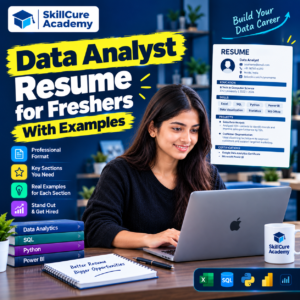

Getting your first job as a Data Analyst can be challenging, especially when you do not have professional work experience. Many freshers have learned Excel, SQL, Python, and Power BI but struggle to present their skills effectively on a resume.
A well-written Data Analyst resume for freshers can help you showcase your technical knowledge, practical projects, certifications, and problem-solving abilities to recruiters.
The good news is that you do not need years of experience to create a strong resume. You need to demonstrate that you understand data analysis concepts and can use the right tools to solve real-world business problems.
In this guide, you will learn how to create a Data Analyst resume as a fresher, which sections to include, what skills to highlight, and how to write a resume with practical examples.
1. What Should a Fresher Include in a Data Analyst Resume?
A Data Analyst resume should clearly communicate your skills, educational background, and ability to work with data.
As a fresher, focus on the following sections:
| Resume Section | What to Include |
|---|---|
| Contact Information | Name, phone number, professional email, LinkedIn profile, and portfolio |
| Resume Summary | A short introduction highlighting your skills and career goals |
| Technical Skills | Excel, SQL, Python, Power BI, statistics, and data visualization |
| Projects | Practical projects completed using real or sample datasets |
| Education | Degree, college name, graduation year, and relevant qualifications |
| Certifications | Relevant courses and certifications you have completed |
| Internship or Experience | Relevant internships, training, or work experience, if applicable |
Keep your resume organized and easy to read. For most freshers, a one-page resume is a good starting point.
Only include skills you can explain and demonstrate during an interview.
2. How to Write a Data Analyst Resume Summary for Freshers
The resume summary appears near the top of your resume. It gives recruiters a quick understanding of your skills and career interests.
Avoid generic statements such as “I am hardworking and looking for a good opportunity.” Instead, mention your technical skills and the type of work you can perform.
Example 1: Data Analyst Fresher With Technical Skills
“Entry-level Data Analyst with knowledge of Excel, SQL, Python, and Power BI. Skilled in data cleaning, exploratory data analysis, and dashboard creation. Interested in using data-driven insights to support business decision-making.”
Example 2: Data Analyst Fresher With Project Experience
“Aspiring Data Analyst with hands-on project experience in analyzing sales data, writing SQL queries, and creating interactive Power BI dashboards. Familiar with data visualization, data cleaning, and identifying business trends.”
Example 3: Career Switcher
“Entry-level Data Analyst transitioning into analytics with practical knowledge of Excel, SQL, Python, and Power BI. Interested in applying analytical thinking and problem-solving skills to business datasets and reporting tasks.”
Choose the summary that reflects your actual background. Do not claim professional experience or advanced expertise you do not have.
3. Essential Technical Skills for a Data Analyst Resume
Recruiters often look for candidates who understand data analysis tools and know when to use them.
Here are some important skills you can include in your resume if you have learned and practised them.
| Skill | Important Concepts |
|---|---|
| Microsoft Excel | PivotTables, XLOOKUP, IF, SUMIFS, charts, data cleaning |
| SQL | SELECT, WHERE, GROUP BY, JOIN, subqueries, aggregate functions |
| Python | Pandas, NumPy, data manipulation, basic visualization |
| Power BI | Data modelling, Power Query, DAX basics, dashboards |
| Statistics | Mean, median, mode, variance, correlation |
| Data Visualization | Charts, graphs, dashboards, KPI reporting |
| Analytical Thinking | Trend identification, problem-solving, business insights |
How to Present Skills on Your Resume
Instead of writing a long paragraph, group your skills into clear categories.
Example:
- Data Analysis: Data cleaning, exploratory data analysis, trend analysis
- Programming: Python, Pandas, NumPy
- Database: SQL, MySQL
- Visualization: Power BI, Excel dashboards
- Spreadsheet Tools: PivotTables, XLOOKUP, conditional formatting
- Other Skills: Basic statistics, report preparation, analytical thinking
This format makes your technical capabilities easier for recruiters to scan.
Remember that listing a tool is not enough. You should be able to explain how you used it in a project.
4. Data Analyst Resume Examples for Freshers
One of the most important sections of a fresher’s resume is the project section.
Projects demonstrate how you apply your knowledge to practical problems, even if you have not worked in a professional analytics role.
Example 1: Sales Data Analysis Using Excel
Project Name: Sales Performance Analysis Dashboard
Tools Used: Microsoft Excel
Project Description:
- Cleaned and organized a sample sales dataset.
- Used PivotTables to summarize sales by product and region.
- Applied Excel formulas to calculate revenue and performance metrics.
- Created charts to visualize monthly sales trends.
- Identified high-performing products and regions.
Business Outcome: Presented sales trends and regional performance in a dashboard to support business reporting.
Example 2: Customer Data Analysis Using SQL
Project Name: Customer Purchase Analysis
Tools Used: SQL, MySQL
Project Description:
- Queried customer and transaction datasets to examine purchasing behaviour.
- Used GROUP BY and aggregate functions to summarize sales.
- Applied JOIN operations to combine customer and order information.
- Identified frequently purchased products and high-value customers.
- Used SQL queries to answer business questions about sales performance.
Business Outcome: Developed a structured analysis of customer purchasing patterns using SQL.
Example 3: Data Analysis Using Python
Project Name: E-Commerce Sales Analysis
Tools Used: Python, Pandas, Matplotlib
Project Description:
- Imported and cleaned an e-commerce dataset using Pandas.
- Identified missing values and checked for duplicate records.
- Analysed sales by category, region, and time period.
- Created visualizations to compare product performance.
- Summarized important trends and findings.
Business Outcome: Presented data-driven observations about product categories and sales trends.
Example 4: Power BI Dashboard Project
Project Name: Business Sales Performance Dashboard
Tools Used: Power BI, Power Query, DAX
Project Description:
- Imported and transformed sales data using Power Query.
- Created data relationships and calculated measures.
- Developed interactive charts, cards, and slicers.
- Tracked revenue, sales quantity, and product performance.
- Designed a dashboard to help users explore business performance.
Business Outcome: Created an interactive reporting solution for monitoring key sales metrics.
Important: These examples are templates. Adapt them to projects you have actually completed. Mention numerical results only when you have calculated and verified them.
5. Complete Data Analyst Resume Sample for Freshers
Below is a sample resume format that freshers can adapt for entry-level Data Analyst positions.
Rahul Sharma
Aspiring Data Analyst
Phone: +91-XXXXXXXXXX
Email: rahul.sharma@example.com
LinkedIn: linkedin.com/in/your-profile
Portfolio: github.com/your-profile
Professional Summary
Aspiring Data Analyst with practical knowledge of Excel, SQL, Python, and Power BI. Familiar with data cleaning, exploratory data analysis, SQL queries, and interactive dashboard development. Interested in analysing business data and translating findings into useful insights.
Technical Skills
- Excel: PivotTables, XLOOKUP, charts, data cleaning
- SQL: SELECT, WHERE, JOIN, GROUP BY, aggregate functions
- Python: Pandas, NumPy, Matplotlib
- Power BI: Power Query, dashboards, basic DAX
- Analytical Skills: Data visualization, trend analysis, basic statistics
Projects
1. Sales Performance Analysis Using Excel
- Analysed sample sales data by product and region.
- Created PivotTables and charts to summarize sales trends.
- Built a dashboard for visualizing key performance metrics.
2. Customer Purchase Analysis Using SQL
- Used SQL queries to examine customer transactions.
- Combined tables using JOIN operations.
- Summarized purchasing trends using aggregate functions.
3. E-Commerce Dashboard Using Power BI
- Transformed sales data using Power Query.
- Created visualizations for revenue and product performance.
- Added filters to make the dashboard interactive.
Education
Bachelor’s Degree in [Your Course]
[College or University Name]
Graduation Year: [Year]
Certifications
- Data Analytics Certification — [Institute Name]
- Microsoft Power BI Training — [Provider Name]
Additional Information
- Languages: [Languages you speak]
- Portfolio: [Link to completed projects]
This is a sample structure, not a claim that every fresher must include all these sections. Remove anything that does not apply to you.
6. How to Make Your Data Analyst Resume ATS-Friendly
Many employers use Applicant Tracking Systems (ATS) to help organize and screen applications. A simple, readable resume can make it easier for recruiters and these systems to identify your qualifications.
Follow these practices when preparing your resume.
Use Relevant Keywords
Read the job description and identify the required skills.
For example, if a job requires Excel, SQL, Power BI, data cleaning, and dashboard development, include the relevant terms where they accurately describe your skills.
Do not add unrelated keywords simply to improve your chances of passing an automated screening process.
Keep the Formatting Simple
Use a clean layout with standard section headings such as:
- Professional Summary
- Technical Skills
- Projects
- Education
- Certifications
- Experience
Avoid complicated layouts, excessive graphics, and decorative elements that may make your information difficult to extract.
Use Clear Project Descriptions
Explain what you did, which tools you used, and what you learned or produced.
Instead of writing:
“Worked on a sales project.”
Write:
“Analysed sample sales data using Excel PivotTables and charts to compare monthly revenue and product performance.”
The second version provides more useful information.
Save Your Resume in the Correct Format
Follow the employer’s application instructions. If the employer requests a PDF, submit a text-based PDF. If a Word document is requested, submit a DOCX file.
Check that your name, contact details, headings, and project descriptions remain readable after saving.
7. Common Mistakes to Avoid in a Data Analyst Resume
Even candidates with good technical knowledge can weaken their applications by making avoidable resume mistakes.
| Common Mistake | Better Approach |
|---|---|
| Listing tools without practical knowledge | Include skills you can demonstrate |
| Leaving the project section empty | Add relevant, completed projects |
| Using the same resume for every job | Tailor relevant skills to each job description |
| Adding false experience | Present projects and training honestly |
| Writing a lengthy summary | Keep it concise and specific |
| Using too many colours and graphics | Choose a clean, professional format |
| Including unverified achievements | Use accurate, measurable results where available |
| Ignoring spelling and grammar | Proofread before submitting |
| Sharing broken portfolio links | Test every link before applying |
A fresher’s resume does not need to look like the resume of an experienced professional. It needs to demonstrate relevant skills, practical knowledge, and a willingness to learn.
8. How to Build a Strong Data Analyst Resume Without Experience
If you have recently graduated or completed a Data Analytics course, follow these steps to strengthen your resume.
Step 1: Learn the Core Tools
Start with Excel and SQL. Then build your skills in Python and a visualization tool such as Power BI.
Step 2: Complete Practical Projects
Work with sales, customer, finance, or e-commerce datasets. Practise cleaning data, answering business questions, and presenting findings.
Step 3: Create a Portfolio
Upload appropriate project files, SQL queries, notebooks, and dashboard screenshots to a professional portfolio or GitHub repository. Avoid sharing confidential or personally identifiable data.
Step 4: Add Relevant Certifications
Include certifications that reflect completed training and relevant skills. Remember that certifications complement practical work; they do not replace it.
Step 5: Prepare for Interviews
Practise SQL queries, Excel formulas, basic statistics, project explanations, and common Data Analyst interview questions.
Step 6: Apply Strategically
Search for positions such as Junior Data Analyst, Data Analyst Trainee, Reporting Analyst, MIS Executive, or Business Intelligence Intern, depending on your skills and eligibility.
Customise your resume for relevant job requirements instead of sending the same generic application everywhere.
9. Where Can Freshers Find Data Analyst Jobs?
After preparing your resume, start looking for entry-level opportunities through established job platforms.
Some options include:
- LinkedIn Jobs
- Naukri
- Indeed
- Foundit
- Company career pages
Search using terms such as “Data Analyst Fresher,” “Junior Data Analyst,” “Data Analyst Trainee,” and “Entry-Level Data Analyst.”
Read each job description carefully, check the eligibility requirements, and apply only when your qualifications reasonably match the role.
You can also connect with recruiters and professionals on LinkedIn. A well-organized profile with relevant skills and project links can complement your resume.
10. Learn Data Analytics With Practical Training at Skillcure Academy
Learning tools is an important first step, but employers also want candidates who can apply their knowledge to practical problems.
At Skillcure Academy, aspiring professionals can explore Data Analytics training designed to help them develop relevant technical and practical skills.
A structured learning journey can help students work on areas such as:
- Excel for data analysis and reporting
- SQL for querying databases
- Python for data manipulation and analysis
- Power BI for dashboard development
- Practical projects and business problem-solving
- Mock interviews and presentation practice
Skillcure Academy also focuses on practical learning through student presentations and mock interview sessions, helping learners practise explaining their work and communicating their findings.
If you are preparing for your first Data Analyst role, focus on building a strong foundation, completing projects, and practising how to explain your analytical approach.
Frequently Asked Questions (FAQs)
1. How should a fresher write a Data Analyst resume?
A fresher should include a professional summary, technical skills, academic qualifications, relevant certifications, and practical projects. Highlight your knowledge of Excel, SQL, Python, and Power BI where applicable.
2. Can I get a Data Analyst job without experience?
Yes, some employers hire freshers for entry-level Data Analyst roles. Relevant technical skills, practical projects, internships, and strong interview preparation can help demonstrate your abilities.
3. Which skills should I include in a Data Analyst resume?
Important skills may include Excel, SQL, Python, Power BI, data cleaning, data visualization, basic statistics, and analytical thinking. Prioritize the skills required by the jobs you are targeting.
4. How many projects should a fresher include in a Data Analyst resume?
Two to four well-documented projects can be a useful starting point. Choose projects that demonstrate different skills, such as SQL querying, Excel analysis, Python data cleaning, and dashboard development.
5. Should a fresher include a photo in a Data Analyst resume?
A photo is generally unnecessary unless the employer specifically requests one or local application conventions require it. A clean, professional, ATS-friendly layout is usually a better priority.