

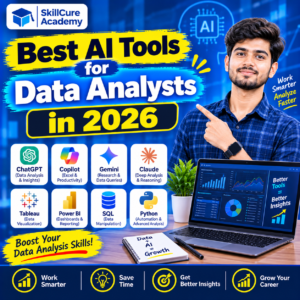

Artificial Intelligence is changing the way businesses collect, process, and analyze data. In 2026, data analysts are no longer limited to traditional tools and manual calculations. They can use AI-powered applications to clean datasets, write SQL queries, generate Python code, create dashboards, and discover valuable business insights.
Companies are increasingly exploring AI-powered analytics to improve decision-making, save time, and increase productivity. As a result, learning AI tools alongside traditional data analytics skills can help professionals stay competitive in the job market.
Whether you are a student, fresher, working professional, or aspiring data analyst, understanding these tools can help you build industry-relevant skills.
In this blog, we will explore the 12 best AI tools for data analysts in 2026, their features, applications, and how beginners can start using them.
Why Are AI Tools Important for Data Analysts in 2026?
Data analysts work with large datasets and perform multiple tasks, including data cleaning, data visualization, reporting, and business analysis.
AI tools can simplify many of these activities by automating repetitive tasks and providing faster insights.
Here are some important benefits:
- Faster Data Analysis: AI helps analyze large datasets and identify patterns quickly.
- Automated Coding: Generate and understand SQL queries and Python scripts.
- Better Data Visualization: Create charts, graphs, and dashboards more efficiently.
- Improved Productivity: Reduce time spent on repetitive analytical tasks.
- Business Insights: Identify trends and patterns that support business decisions.
- Easy Learning: Beginners can use AI assistants to understand complex analytical concepts.
Top 12 Best AI Tools for Data Analysts in 2026
Let’s explore some of the most useful AI tools that every aspiring and professional data analyst should know.
1. ChatGPT
ChatGPT is one of the most versatile AI assistants for data analysts. It can help users understand datasets, generate SQL queries, write Python scripts, explain statistical concepts, and summarize analytical findings.
Key Features:
- Generates SQL queries.
- Helps write and debug Python code.
- Analyzes supported Excel and CSV files.
- Explains complex data concepts.
- Helps generate charts and analytical summaries.
Best For: Beginners, SQL learners, Python users, and professionals who need assistance with data analysis.
2. Microsoft Copilot
Microsoft Copilot helps users work more efficiently within Microsoft’s productivity ecosystem. Its capabilities in Excel can support spreadsheet analysis, formula generation, data summaries, and visualization workflows.
Key Features:
- Helps generate Excel formulas.
- Summarizes spreadsheet information.
- Assists with data analysis.
- Helps create charts and reports.
- Supports productivity across Microsoft applications.
Best For: Excel users, business analysts, and professionals working with spreadsheets.
3. Power BI Copilot
Power BI Copilot brings generative AI capabilities into Microsoft’s business intelligence environment. It can help users explore data, create report content, summarize findings, and work with analytical models.
Key Features:
- Helps create report pages.
- Generates summaries of report insights.
- Assists with DAX-related tasks.
- Supports natural-language interaction with data.
- Helps explain business trends.
Best For: Power BI developers, business intelligence professionals, and dashboard creators.
Note: Availability depends on supported Microsoft Fabric capacity, licensing, and configuration.
4. Google Gemini
Google Gemini is a useful AI assistant for data analysts who work with spreadsheets, documents, Python, and Google Workspace.
It can help users understand datasets, generate formulas, write code, and explore analytical problems.
Key Features:
- Helps generate Python code.
- Assists with spreadsheet formulas.
- Explains SQL queries.
- Summarizes analytical information.
- Supports data-related research and problem-solving.
Best For: Students, spreadsheet users, and analysts working with Google’s ecosystem.
5. Claude AI
Claude is an AI assistant that can help data analysts understand complex information, review code, work with documents, and generate structured explanations.
It can be particularly useful when analysts need to understand lengthy reports or interpret analytical findings.
Key Features:
- Explains Python and SQL code.
- Helps review and debug scripts.
- Analyzes supported documents and datasets.
- Generates structured reports.
- Assists with analytical reasoning.
Best For: Data analysts working with complex reports, documentation, and programming tasks.
6. Julius AI
Julius AI is designed to make data analysis easier through natural-language interaction.
Users can upload supported datasets and ask questions about their information without manually writing every analytical command.
Key Features:
- Analyzes CSV and Excel datasets.
- Generates data visualizations.
- Identifies patterns and trends.
- Creates analytical summaries.
- Supports conversational data exploration.
Best For: Beginners and professionals who want to explore datasets with minimal coding.
7. GitHub Copilot
GitHub Copilot is an AI-powered coding assistant that helps developers and data analysts write code more efficiently.
It can provide code suggestions and assist with Python programming, SQL queries, and repetitive coding tasks.
Key Features:
- Generates Python code suggestions.
- Assists with SQL queries.
- Helps debug programming errors.
- Supports coding inside development environments.
- Improves coding productivity.
Best For: Python developers, data analysts, and professionals working with VS Code.
8. Tableau AI
Tableau provides AI-powered capabilities that help users explore data, understand metrics, and generate analytical insights.
Its AI features can support dashboard exploration and help users understand business performance.
Key Features:
- Supports natural-language analytics.
- Helps explore business metrics.
- Provides insights into data trends.
- Supports dashboard analysis.
- Helps communicate analytical findings.
Best For: Business intelligence professionals and data visualization specialists.
9. Perplexity AI
Perplexity AI is an AI-powered research assistant that can help data analysts find information, explore industry trends, and understand business topics.
It is useful when analysts need additional context before starting a data analysis project.
Key Features:
- Provides research-based answers with sources.
- Helps explore industry information.
- Supports competitor research.
- Summarizes information from multiple sources.
- Helps understand business trends.
Best For: Market research, business analysis, and industry research.
10. Hex
Hex is a collaborative analytics platform that combines SQL, Python, notebooks, and AI-assisted data exploration.
It is useful for analysts who work with databases and need to build reproducible analytical workflows.
Key Features:
- SQL and Python notebooks.
- AI-assisted data exploration.
- Collaborative analytics.
- Data visualization.
- Sharing analytical applications.
Best For: Professional data analysts and analytics teams.
11. Databricks Genie
Databricks Genie helps users interact with enterprise data using natural language.
It allows users to ask questions about business data and receive SQL-backed analytical results through a governed data environment.
Key Features:
- Natural-language data queries.
- SQL-based analysis.
- Interactive analytical exploration.
- Data visualization support.
- Integration with the Databricks ecosystem.
Best For: Enterprise data analysts and professionals working with large data environments.
12. Snowflake Cortex Analyst
Snowflake Cortex Analyst allows users to ask questions about structured business data using natural language.
It helps translate business questions into SQL queries using semantic models and provides an easier way to explore data stored in Snowflake.
Key Features:
- Natural-language-to-SQL capabilities.
- Structured data analysis.
- Business question exploration.
- Integration with Snowflake.
- Semantic-model-based analytics.
Best For: Data analysts and organizations working with Snowflake databases.
Comparison of the Best AI Tools for Data Analysts in 2026
Here is a quick comparison to help you understand which tools are suitable for different analytical tasks.
| AI Tool | Best Use | Skill Level |
|---|---|---|
| ChatGPT | SQL, Python, and data analysis | Beginner to Advanced |
| Microsoft Copilot | Excel and spreadsheet analysis | Beginner |
| Power BI Copilot | Business intelligence and reporting | Intermediate |
| Google Gemini | Research, formulas, and coding | Beginner to Intermediate |
| Claude AI | Code explanation and report analysis | Beginner to Advanced |
| Julius AI | No-code data exploration | Beginner |
| GitHub Copilot | Python and SQL coding | Intermediate |
| Tableau AI | Data visualization and insights | Intermediate |
| Perplexity AI | Research and industry analysis | Beginner |
| Hex | SQL, Python, and collaborative analytics | Advanced |
| Databricks Genie | Enterprise data analytics | Advanced |
| Snowflake Cortex Analyst | Natural-language SQL analysis | Advanced |
How to Use AI Tools in a Data Analytics Workflow
Knowing different AI tools is important, but understanding how to use them in real projects is even more valuable.
Here is how AI can support different stages of a data analytics project.
| Data Analytics Task | AI Tool | Application |
|---|---|---|
| Data Cleaning | ChatGPT | Generate Python cleaning scripts |
| Data Exploration | Julius AI | Explore datasets and identify patterns |
| SQL Queries | ChatGPT / Claude | Generate and explain SQL queries |
| Excel Analysis | Microsoft Copilot | Generate formulas and summaries |
| Dashboard Creation | Power BI Copilot | Assist with report development |
| Research | Perplexity AI | Explore industry information |
| Python Coding | GitHub Copilot | Generate and debug code |
| Business Reporting | Claude | Prepare structured analytical summaries |
For example, imagine you are working on a sales analysis project.
You can use Python to clean the dataset, SQL to retrieve relevant information, Power BI to create an interactive dashboard, and ChatGPT to help interpret the results.
However, always validate AI-generated formulas, queries, calculations, and insights before using them in business reports.
Skills Data Analysts Should Learn Alongside AI Tools
AI tools can make analytical tasks easier, but they cannot replace the fundamental skills required to become a professional data analyst.
If you want to build a career in data analytics, focus on developing these important skills:
| Skill | Why Is It Important? |
|---|---|
| Advanced Excel | Data cleaning, formulas, and reporting |
| SQL | Extracting and managing database information |
| Python | Data manipulation and automation |
| Power BI | Creating interactive dashboards |
| Statistics | Understanding patterns and trends |
| Data Visualization | Communicating insights effectively |
| AI Tools | Improving analytical productivity |
| Communication | Explaining findings to stakeholders |
A combination of these technical and analytical skills can help you prepare for different data analytics job roles.
Learn Data Analytics with Practical Training in Noida
If you want to enter the data analytics industry, choosing the right training program can help you develop the technical and practical skills required for this career.
Enrolling in a Data Analytics Course in Noida can help beginners understand important analytical concepts, work with industry tools, and gain practical project experience.
At Skillcure Academy, students get the opportunity to learn important data analytics technologies through practical training.
The learning areas include:
- Advanced Excel for data analysis.
- SQL for database management and querying.
- Python for data cleaning and analysis.
- Power BI for interactive dashboard creation.
- Real-time industry-based projects.
- AI tools for improving analytical workflows.
- Mock interviews and presentation sessions.
Skillcure Academy focuses on practical learning so students can understand how analytical concepts are applied to real business problems.
If you are searching for a Data Analytics Course in Noida, developing practical skills in Excel, SQL, Python, Power BI, and AI-assisted analytics can be a valuable step towards your career goals.
Conclusion
AI is transforming the data analytics industry in 2026. Tools such as ChatGPT, Microsoft Copilot, Power BI Copilot, Gemini, Claude, Julius AI, and GitHub Copilot are helping analysts work more efficiently and explore data in new ways.
However, learning AI tools alone is not enough. A successful data analyst must also understand SQL, Python, Excel, Power BI, statistics, and business problem-solving.
The best approach is to combine strong analytical fundamentals with practical AI knowledge.
If you are planning to start your journey in this field, consider joining a Data Analytics Course in Noida that focuses on hands-on projects, industry tools, and interview preparation.
Build your analytical skills today and prepare yourself for the evolving world of data analytics!
Frequently Asked Questions (FAQs)
1. Which are the best AI tools for data analysts in 2026?
Some of the best AI tools for data analysts include ChatGPT, Microsoft Copilot, Power BI Copilot, Google Gemini, Claude, Julius AI, GitHub Copilot, and Tableau AI.
2. Can AI tools replace data analysts?
No. AI can automate repetitive tasks and assist with data analysis, but human professionals are still needed to validate results, understand business requirements, interpret insights, and make decisions.
3. Which AI tool is best for beginners in data analytics?
ChatGPT and Julius AI are useful starting points for beginners. They can help users understand datasets, generate code, and explore analytical concepts.
4. Do I need Python and SQL to become a data analyst?
Yes. Python and SQL are important technical skills for data analysts. SQL helps retrieve data from databases, while Python supports data cleaning, analysis, and automation.
5. Where can I learn data analytics in Noida?
You can explore Skillcure Academy for a Data Analytics Course in Noida that covers Advanced Excel, SQL, Python, Power BI, practical projects, and interview preparation.