
Video editing has become an important skill in today’s digital world. From YouTube videos and Instagram Reels to advertisements, corporate videos, and films, businesses and content creators need professional video editors to create engaging content.
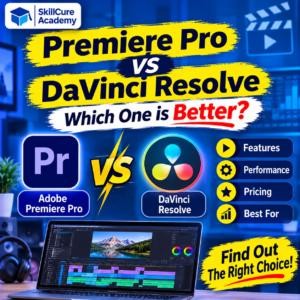
When it comes to professional video editing software, two popular names are Adobe Premiere Pro and DaVinci Resolve.
Both software programs offer powerful editing tools, professional features, and advanced capabilities. However, they have different strengths when it comes to video editing, colour grading, visual effects, audio editing, and pricing.
If you are planning to learn video editing or build a career as a professional video editor, understanding the difference between Premiere Pro and DaVinci Resolve can help you make the right decision.
Let’s compare both tools in detail.
1. What Is Adobe Premiere Pro?
Adobe Premiere Pro is a professional video editing software developed by Adobe. It is widely used by content creators, video editors, filmmakers, marketing agencies, and production companies.
It provides a timeline-based editing environment where users can arrange video clips, add transitions, edit audio, create titles, and apply visual effects.
Premiere Pro is also part of the Adobe Creative Cloud ecosystem, which allows users to work with applications such as After Effects, Photoshop, and Audition.
Key Features of Adobe Premiere Pro
- Professional timeline-based video editing.
- Advanced audio editing and mixing tools.
- Colour correction using Lumetri Color.
- Motion graphics and animated titles.
- AI-powered editing features.
- Automatic reframing for different screen sizes.
- Integration with Adobe Creative Cloud applications.
- Support for different video formats and resolutions.
Best For: YouTube creators, social media content creators, marketing professionals, freelance video editors, and production teams.
2. What Is DaVinci Resolve?
DaVinci Resolve is a professional video editing and post-production software developed by Blackmagic Design.
It is especially popular for its advanced colour grading capabilities. However, it is not limited to colour correction. It also provides video editing, visual effects, motion graphics, and professional audio editing tools.
One of its biggest advantages is that it offers a powerful free version, making it an attractive option for beginners and professionals.
Key Features of DaVinci Resolve
- Advanced colour grading tools.
- Professional video editing timeline.
- Fusion for visual effects and motion graphics.
- Fairlight for professional audio editing.
- AI-powered editing tools in Studio.
- Multicam editing.
- Professional colour correction.
- High-resolution video support.
Best For: Filmmakers, professional video editors, colourists, YouTube creators, and content production teams.
3. Premiere Pro vs DaVinci Resolve: Quick Comparison
Before exploring individual features, let’s understand the major differences between these two video editing applications.
| Comparison | Premiere Pro | DaVinci Resolve |
|---|---|---|
| Developer | Adobe | Blackmagic Design |
| Main Purpose | Video Editing | Video Editing & Post-Production |
| Free Version | No permanent free desktop version | Yes |
| Colour Grading | Lumetri Color | Advanced Colour Page |
| Audio Editing | Built-in audio tools | Fairlight |
| Visual Effects | Adobe Effects Ecosystem | Fusion |
| AI Features | Yes | Yes |
| Learning Curve | Moderate | Moderate to Advanced |
| Best For | Content Creation & Editing | Editing & Professional Post-Production |
| Pricing Model | Subscription | Free & Paid Studio Version |
4. Premiere Pro vs DaVinci Resolve: Detailed Feature Comparison
Let’s compare both applications based on the features that matter most to video editors.
A. Video Editing
Both applications offer professional video editing capabilities.
Premiere Pro provides a familiar timeline-based editing interface. Users can easily arrange clips, trim videos, add transitions, insert text, and manage multiple video and audio tracks.
DaVinci Resolve also offers a powerful editing environment with dedicated Cut and Edit pages. These workspaces help editors manage footage and complete projects efficiently.
Winner: Both
For regular video editing, social media videos, YouTube content, and professional projects, both applications are excellent choices.
B. Colour Grading
Colour grading is one of the biggest differences between Premiere Pro and DaVinci Resolve.
Premiere Pro uses Lumetri Color, which allows editors to adjust exposure, contrast, saturation, white balance, and other colour settings.
DaVinci Resolve offers a dedicated Color page with an advanced node-based workflow. It provides greater control over colour correction, skin tones, highlights, shadows, and cinematic looks.
Winner: DaVinci Resolve
If you want to specialise in professional colour grading and cinematic video production, DaVinci Resolve is a strong choice.
C. Audio Editing
Audio quality is equally important in professional video production.
Premiere Pro provides audio editing features that help users adjust volume, remove background noise, balance dialogue, and improve sound quality.
DaVinci Resolve includes Fairlight, a dedicated professional audio post-production workspace. It provides advanced audio mixing, sound effects, and dialogue editing capabilities.
Winner: DaVinci Resolve
Fairlight makes DaVinci Resolve particularly useful for editors who want advanced audio tools within a single application.
D. Visual Effects and Motion Graphics
Premiere Pro works closely with Adobe After Effects for advanced animations, motion graphics, and visual effects.
This integration is useful when creating animated titles, promotional videos, advertisements, and professional social media content.
DaVinci Resolve offers Fusion, a node-based environment for creating visual effects and motion graphics.
Both applications can produce impressive visual results, but their workflows are different.
Winner: Depends on Your Workflow
Premiere Pro is a convenient option for editors already using After Effects, while Fusion offers powerful built-in visual effects capabilities.
E. AI Features
Artificial intelligence is changing the video editing industry.
Premiere Pro includes AI-powered features that help editors automate repetitive tasks and improve their workflow.
DaVinci Resolve also uses its Neural Engine to support intelligent editing and post-production features, particularly in the Studio version.
Both applications are adding tools that help save editing time.
Winner: Both
The better choice depends on which AI features are useful for your particular projects.
5. Premiere Pro vs DaVinci Resolve: Pricing Comparison
Pricing is another important factor when choosing video editing software.
Adobe Premiere Pro follows a subscription-based pricing model. Users need an active subscription to access the desktop software.
DaVinci Resolve offers two versions:
- DaVinci Resolve Free: Provides professional video editing, colour grading, visual effects, and audio tools without a subscription.
- DaVinci Resolve Studio: A paid version that includes additional advanced features, AI tools, effects, and professional capabilities.
| Factor | Premiere Pro | DaVinci Resolve |
|---|---|---|
| Free Desktop Version | No | Yes |
| Paid Version | Subscription | One-time purchase |
| Advanced Editing | Yes | Yes |
| Professional Colour Tools | Yes | Yes |
| Advanced AI Features | Plan-dependent | Studio version |
Pricing and subscription offers can change, so check the official websites before purchasing.
For beginners who want to learn video editing without spending money initially, DaVinci Resolve offers a major advantage.
6. Which Software Is Easier for Beginners?
Choosing the right software as a beginner can make the learning process easier.
Premiere Pro has a familiar timeline-based interface. Beginners can start by learning basic editing, trimming, transitions, audio adjustments, and text animations.
DaVinci Resolve also offers beginner-friendly editing tools, particularly through its Cut and Edit pages. However, its advanced colour grading, Fusion, and Fairlight workflows may take additional time to understand.
Recommended Learning Approach
If you are completely new to video editing, follow this learning sequence:
- Understand video editing fundamentals.
- Learn timeline management and clip trimming.
- Practise transitions and text animations.
- Learn audio editing and sound effects.
- Understand colour correction and grading.
- Create YouTube videos and Instagram Reels.
- Work on real-world editing projects.
Remember, learning the editing fundamentals is more important than simply learning where different buttons are located.
7. Premiere Pro vs DaVinci Resolve: Which One Should You Choose?
The right software depends on your career goals, budget, and editing requirements.
Here is a simple recommendation.
| Your Goal | Recommended Software |
|---|---|
| YouTube Video Editing | Both |
| Instagram Reels Editing | Both |
| Professional Film Editing | Both |
| Advanced Colour Grading | DaVinci Resolve |
| Motion Graphics with After Effects | Premiere Pro |
| Professional Audio Post-Production | DaVinci Resolve |
| Learning Video Editing for Free | DaVinci Resolve |
| Adobe Creative Cloud Workflow | Premiere Pro |
| Freelancing | Both |
Choose Premiere Pro If:
- You want to work with Adobe Creative Cloud applications.
- You regularly create social media videos and advertisements.
- You want to work with After Effects and Photoshop.
- You are interested in agency-based video editing projects.
- You prefer a traditional timeline-based editing workflow.
Choose DaVinci Resolve If:
- You want to learn professional colour grading.
- You prefer an all-in-one post-production application.
- You want to start learning without paying for software.
- You are interested in filmmaking and cinematic editing.
- You want professional audio and visual effects tools in one application.
8. Career Opportunities After Learning Video Editing
Video editing is becoming an important skill across digital marketing, entertainment, education, advertising, and social media industries.
Businesses need skilled editors to create promotional videos, product advertisements, educational content, YouTube videos, and social media campaigns.
After learning professional video editing software, you can explore several career opportunities.
| Job Role | Main Responsibilities |
|---|---|
| Video Editor | Editing and producing videos |
| YouTube Video Editor | Editing YouTube content |
| Social Media Video Editor | Creating Reels and short videos |
| Motion Graphics Designer | Creating animated graphics |
| Freelance Video Editor | Working with multiple clients |
| Film Editor | Editing films and documentaries |
| Video Content Creator | Planning and producing video content |
Skills You Should Learn Along With Video Editing
To become a professional video editor, learning software alone is not enough.
You should also develop:
- Storytelling and creative thinking.
- Understanding of video formats and resolutions.
- Audio editing and sound design.
- Colour correction and grading.
- Motion graphics and animation.
- Social media video formats.
- Understanding of client requirements.
- Portfolio development.
Working on practical projects will help you understand how professional editing works.
9. Final Verdict: Premiere Pro vs DaVinci Resolve
So, which is better: Premiere Pro or DaVinci Resolve?
The answer depends on your requirements.
Adobe Premiere Pro is an excellent choice for content creators, marketing agencies, and editors who work within the Adobe ecosystem.
DaVinci Resolve is a powerful choice for people interested in professional colour grading, filmmaking, audio production, and all-in-one post-production workflows.
If you are a beginner, you can start with the free version of DaVinci Resolve and gradually explore advanced editing techniques. If your career requires Adobe applications, learning Premiere Pro is equally valuable.
The most important thing is not which software you choose, but how effectively you can use your editing skills to create professional videos.
At Skillcure Academy, we believe practical learning, creative thinking, and project-based experience are essential for developing industry-ready skills.
Start learning today and take your first step towards building a career in video editing!
Frequently Asked Questions (FAQs)
1. Is Premiere Pro better than DaVinci Resolve?
Both are professional video editing applications. Premiere Pro is excellent for Adobe-based workflows and content creation, while DaVinci Resolve is particularly strong in colour grading, audio post-production, and its all-in-one editing environment.
2. Is DaVinci Resolve completely free?
DaVinci Resolve offers a free version with professional editing, colour grading, visual effects, and audio tools. Its paid Studio version provides additional advanced features, AI tools, and professional capabilities.
3. Which is easier to learn: Premiere Pro or DaVinci Resolve?
Premiere Pro offers a familiar timeline-based workflow. DaVinci Resolve also supports beginner-friendly editing, but its advanced features may require additional practice. Both are suitable for beginners.
4. Which software is best for YouTube video editing?
Both Premiere Pro and DaVinci Resolve are suitable for YouTube video editing. You can use either to create tutorials, vlogs, educational videos, product reviews, and promotional content.
5. Can I get a job after learning Premiere Pro or DaVinci Resolve?
Yes. Learning professional video editing software can help you explore opportunities as a video editor, YouTube editor, social media editor, freelance editor, and motion graphics designer. However, practical experience, a strong portfolio, and creative skills are equally important.