

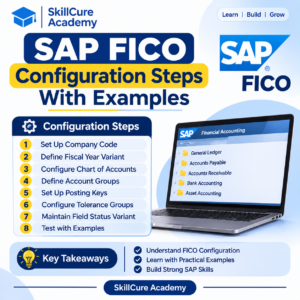

If you are planning to learn SAP FICO, one thing you will come across very often is the word Configuration.
But what does configuration actually mean in SAP FICO? Is it just about changing some settings, or is there something more to it?
Let me explain.
Imagine you are starting a new company. You need to maintain financial records, manage customer payments, track vendor expenses, calculate taxes, and prepare financial reports. Now, how will SAP understand your company’s financial structure?
This is where SAP FICO configuration comes into the picture.
SAP FICO configuration is the process of setting up the Financial Accounting (FI) and Controlling (CO) modules according to a company’s business requirements.
In this blog, we will understand the major SAP FICO configuration steps with practical examples so that you can understand how these settings work in a real business environment.
What Is SAP FICO Configuration?
SAP FICO configuration means setting up the financial and controlling structure of an organization inside SAP.
Before a company starts using SAP for its accounting activities, certain settings need to be configured.
For example, a company needs to decide:
- Which company code will represent its business?
- Which chart of accounts will it use?
- What will its financial year be?
- How will customer and vendor payments be recorded?
- How will assets and depreciation be managed?
- How will financial reports be generated?
All these requirements are handled through SAP FICO configuration.
Most configuration activities are performed using the SAP Implementation Guide (IMG), which can be accessed through the transaction code SPRO.
Important SAP FICO Configuration Steps
Now, let’s understand the configuration process step by step.
To make things easier, let’s take an example of a fictional company called ABC Technologies Pvt. Ltd.
We will use this company throughout the configuration process.
1. Define the Company and Company Code
The first step is to create the company’s organizational structure.
In SAP, a company code is the smallest organizational unit for which a complete set of financial statements can be prepared.
For example:
ABC Technologies Pvt. Ltd. operates in India and wants to maintain its financial records in SAP.
We can create the following company code:
| Field | Example |
|---|---|
| Company Name | ABC Technologies Pvt. Ltd. |
| Company Code | ABC1 |
| Country | India |
| Currency | INR |
| Language | English |
Why is this important?
Whenever the company records a financial transaction, SAP needs to know which company is responsible for that transaction.
The company code helps SAP identify that.
Configuration T-code: OX02
2. Create and Assign the Chart of Accounts
Now that we have created our company code, the next step is to configure the Chart of Accounts (COA).
Think of the Chart of Accounts as a list of all the financial accounts a company uses.
For example, ABC Technologies may have the following accounts:
| Account Name | Account Type |
|---|---|
| Cash Account | Asset |
| Bank Account | Asset |
| Sales Revenue | Income |
| Office Rent | Expense |
| Salary Expense | Expense |
| Capital Account | Equity |
Every account is assigned a unique General Ledger (G/L) account number.
For example:
- 100001 – Cash Account
- 100002 – Bank Account
- 400001 – Sales Revenue
- 500001 – Salary Expense
SAP uses these accounts to record financial transactions and generate reports.
Configuration T-codes:
- OB13 – Define Chart of Accounts
- OB62 – Assign Chart of Accounts to Company Code
3. Configure Fiscal Year Variant
Every company follows a financial year for maintaining its accounts.
For example, most Indian companies follow the financial year from 1 April to 31 March.
But SAP needs to know this information before it can process financial transactions correctly.
This is why we configure the Fiscal Year Variant.
Let’s take our ABC Technologies example:
| Particulars | Details |
|---|---|
| Financial Year Start | 1 April |
| Financial Year End | 31 March |
| Fiscal Year Variant | V3 |
The fiscal year variant determines the number of posting periods and how they are distributed throughout the year.
Configuration T-codes:
- OB29 – Define Fiscal Year Variant
- OB37 – Assign Fiscal Year Variant to Company Code
4. Configure Posting Period Variant
Now, let’s understand something interesting.
Suppose ABC Technologies wants to record transactions for April 2026.
Can employees also record transactions for a closed financial period?
Not necessarily.
A company needs control over which accounting periods are open or closed for posting transactions.
This is handled through the Posting Period Variant.
For example:
| Month | Posting Status |
|---|---|
| April 2026 | Open |
| May 2026 | Open |
| March 2026 | Closed |
This helps the finance team control when financial transactions can be entered into SAP.
Configuration T-codes:
- OBBO – Define Posting Period Variant
- OBBP – Assign Posting Period Variant
- OB52 – Open and Close Posting Periods
5. Configure General Ledger (G/L) Accounting
General Ledger accounting is one of the most important parts of SAP FICO.
Every financial transaction eventually affects one or more G/L accounts.
For example, ABC Technologies pays ₹20,000 as office rent through its bank account.
The accounting entry will look like this:
| Account | Debit | Credit |
|---|---|---|
| Office Rent Expense | ₹20,000 | – |
| Bank Account | – | ₹20,000 |
Here, the rent expense increases, while the bank balance decreases.
In SAP, the finance team creates and maintains G/L accounts according to business requirements.
The configuration also includes important settings such as:
- Account groups
- Field status groups
- Retained earnings accounts
- Document types
- Number ranges
Configuration T-codes:
- OBD4 – Define Account Groups
- FS00 – Create and Maintain G/L Accounts
- OBA7 – Define Document Types
6. Configure Accounts Payable (AP)
Let’s say ABC Technologies purchases office computers from a vendor for ₹1,00,000 on credit.
The company has received the computers but has not made the payment yet.
How will SAP maintain this outstanding amount?
This is where Accounts Payable comes in.
Accounts Payable helps companies manage money owed to vendors and suppliers.
During AP configuration, we generally work with:
- Vendor account groups
- Vendor reconciliation accounts
- Payment terms
- Payment methods
- Automatic payment programs
Example:
ABC Technologies purchases computers worth ₹1,00,000 from XYZ Computers.
The accounting entry will be:
| Account | Debit | Credit |
|---|---|---|
| Computer Purchase Account | ₹1,00,000 | – |
| Vendor Account | – | ₹1,00,000 |
The amount remains payable until the company makes the payment.
Configuration T-codes:
- OBD3 – Define Vendor Account Groups
- FBZP – Configure Automatic Payment Program
- BP – Maintain Business Partner Master Data
7. Configure Accounts Receivable (AR)
Now, let’s look at the opposite situation.
Suppose ABC Technologies provides IT services worth ₹50,000 to a customer but has not received the payment yet.
The company needs to maintain this outstanding amount.
This is handled through Accounts Receivable.
AR helps businesses manage customer payments, outstanding invoices, credit management, and payment tracking.
Example:
ABC Technologies provides services worth ₹50,000 to Customer A.
The accounting entry will be:
| Account | Debit | Credit |
|---|---|---|
| Customer Account | ₹50,000 | – |
| Service Revenue | – | ₹50,000 |
Now SAP knows that Customer A owes the company ₹50,000.
Configuration T-codes:
- OBD2 – Define Customer Account Groups
- BP – Maintain Business Partner Master Data
- OBXR – Assign Customer Reconciliation Accounts
8. Configure Asset Accounting (AA)
Every business purchases assets such as computers, furniture, machinery, and vehicles.
But assets lose value over time because of usage and depreciation.
SAP Asset Accounting helps companies manage these assets throughout their lifecycle.
Let’s take an example.
ABC Technologies purchases a computer system for ₹60,000.
The company wants to depreciate it over three years using the straight-line method.
Annual depreciation:
₹60,000 ÷ 3 = ₹20,000
So, the company will record ₹20,000 as depreciation expense every year, assuming no residual value.
During Asset Accounting configuration, we work with:
- Chart of depreciation
- Depreciation areas
- Asset classes
- Depreciation keys
- Account determination
Configuration T-codes:
- OAOA – Define Asset Classes
- OADB – Define Depreciation Areas
- AO90 – Configure Account Determination
9. Configure Tax Settings
Tax configuration is another important part of SAP FICO, especially for businesses operating in India.
Companies need to calculate and record applicable taxes on purchases and sales.
For example, ABC Technologies purchases office equipment worth ₹1,00,000, and the applicable GST rate is 18%.
The tax calculation will be:
| Particulars | Amount |
|---|---|
| Purchase Value | ₹1,00,000 |
| GST @ 18% | ₹18,000 |
| Total Invoice Value | ₹1,18,000 |
SAP tax configuration helps determine how tax amounts are calculated and posted to the appropriate accounts.
It generally involves:
- Tax procedures
- Tax codes
- Input and output tax accounts
- Tax account determination
Important T-codes:
- FTXP – Define Tax Codes
- OB40 – Assign Tax Accounts
Actual GST configuration depends on the company’s SAP version, tax procedure, and business requirements.
10. Configure Bank Accounting
Every business uses bank accounts for receiving and making payments.
SAP FICO allows companies to manage their bank-related transactions and monitor balances.
For example, ABC Technologies has an HDFC Bank account through which it receives customer payments and pays vendors.
Bank Accounting configuration includes:
- House banks
- Bank accounts
- Payment methods
- Bank reconciliation
- Electronic bank statements
This helps the finance team manage bank transactions and identify differences between SAP records and actual bank statements.
Configuration T-codes:
- FI12 – Maintain House Banks in classic SAP ERP
- FI12_HBANK – House Bank maintenance in relevant S/4HANA systems
- FF67 – Enter Manual Bank Statements
11. Configure Integration Between FI and CO
Now comes one of the most important concepts in SAP FICO.
FI and CO are two different components, but they work closely together.
Financial Accounting (FI) focuses on external financial reporting, while Controlling (CO) focuses on internal cost monitoring and management.
For example, ABC Technologies pays ₹40,000 as employee salaries.
The company wants to record this expense in financial accounting and also track which department is responsible for the cost.
This is where FI-CO integration becomes useful.
The transaction can affect:
- Salary Expense G/L Account
- Cost Center
- Department-wise expense reporting
Important configuration areas include:
- Controlling area
- Cost centers
- Cost elements and G/L account integration
- Cost center accounting
- Assignment of company codes to controlling areas
Configuration T-codes:
- OKKP – Maintain Controlling Area
- KS01 – Create Cost Center
- KS02 – Change Cost Center
Practical SAP FICO Configuration Example
Now that we have discussed the major configuration steps, let’s connect everything through one practical business example.
Imagine ABC Technologies performs the following transactions:
- Purchases computers worth ₹1,00,000 on credit.
- Provides services worth ₹50,000 to a customer on credit.
- Pays office rent of ₹20,000.
- Purchases furniture worth ₹60,000.
Each transaction affects different financial accounts.
| Business Transaction | Debit Account | Credit Account |
|---|---|---|
| Computer Purchase | Computer Purchase/Asset Account | Vendor Account |
| Service Sale | Customer Account | Service Revenue |
| Office Rent | Rent Expense | Bank Account |
| Furniture Purchase | Furniture Asset Account | Bank/Vendor Account |
Through proper SAP FICO configuration, the system can record these transactions, maintain customer and vendor balances, calculate depreciation, and generate financial reports.
This is why understanding configuration is important. You are not simply learning transaction codes; you are learning how a company’s financial system works.
Common Mistakes to Avoid During SAP FICO Configuration
When beginners start learning SAP FICO, they sometimes focus too much on remembering transaction codes.
But configuration requires understanding the relationship between different settings.
Here are some common mistakes you should avoid:
- Creating company codes without understanding organizational requirements.
- Assigning the wrong chart of accounts.
- Configuring an incorrect fiscal year variant.
- Forgetting to assign posting period variants.
- Not maintaining reconciliation accounts for customers and vendors.
- Configuring incorrect tax accounts.
- Ignoring FI and CO integration.
- Not testing configurations before using them for business transactions.
My suggestion is simple: whenever you configure something in SAP, try to understand why that setting is required and what will happen if it is changed.
How to Learn SAP FICO Configuration Practically?
If you are serious about building a career in SAP FICO, learning only definitions and transaction codes will not be enough.
You should practise the complete configuration process in an SAP system.
Here is a simple learning approach:
- Start with organizational structure and company code creation.
- Learn how to configure the chart of accounts.
- Practise fiscal year and posting period settings.
- Create G/L accounts and understand accounting entries.
- Work with vendor and customer accounting.
- Learn asset accounting and depreciation.
- Understand GST and tax configuration.
- Practise bank accounting.
- Learn FI-CO integration.
- Complete an end-to-end business scenario.
At Skillcure Academy, we believe practical understanding is important when learning professional software. If you are looking for an SAP FICO course in Noida, focus on a learning approach that combines configuration, real business scenarios, and practical assignments.
The objective should be to understand how SAP works in an actual finance department rather than simply memorising transaction codes.
Conclusion
SAP FICO configuration is the foundation of financial accounting and controlling in an SAP system.
From creating company codes to configuring G/L accounts, managing vendors and customers, handling assets, and integrating FI with CO, every step plays an important role in managing business finances.
If you are a beginner, don’t try to learn everything in one day. Start with the basics, understand each configuration step, and practise it using real business examples.
Once you understand how these configurations connect with each other, learning SAP FICO becomes much easier.
And remember, the real objective is not just to know which transaction code to use. It is to understand why you are using it and how it helps a business.
Frequently Asked Questions (FAQs)
1. What are the main configuration steps in SAP FICO?
The main steps include company code creation, chart of accounts configuration, fiscal year variant, posting period variant, G/L accounting, accounts payable, accounts receivable, asset accounting, tax settings, bank accounting, and FI-CO integration.
2. Which T-code is used for SAP FICO configuration?
SPRO is the main transaction code used to access the SAP Implementation Guide (IMG). Individual configuration activities have their own transaction codes, such as OX02, OB13, OB29, and OB52.
3. Can beginners learn SAP FICO configuration?
Yes. Beginners can learn SAP FICO configuration by starting with basic accounting concepts, understanding organizational structure, and practising configuration activities step by step.
4. What is the difference between SAP FI and SAP CO?
SAP FI focuses on external financial accounting and reporting, whereas SAP CO focuses on internal cost management, budgeting, and profitability analysis. Both components work together to provide financial and management information.
5. How long does it take to learn SAP FICO configuration?
The learning time depends on your accounting knowledge, previous SAP experience, and practice. With consistent learning and hands-on practice, beginners can gradually understand the major configuration areas and business processes.