
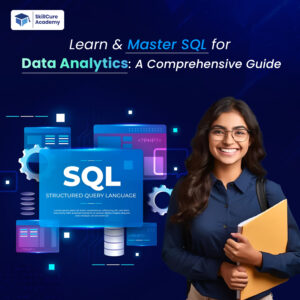

SQL (Structured Query Language) is one of the most important skills for anyone entering the world of data analytics. From extracting valuable business insights to managing large datasets, SQL helps analysts work efficiently with data stored in databases. Whether you are a beginner or an aspiring data professional, mastering SQL can significantly boost your career opportunities in 2026 and beyond.
In this comprehensive guide, we will explore SQL fundamentals, advanced concepts, practical use cases, and why SQL remains essential for data analytics.
What is SQL?
SQL stands for Structured Query Language. It is the standard programming language used to communicate with relational databases. Analysts use SQL to store, retrieve, manipulate, and analyze data.
Popular databases that use SQL include:
- MySQL
- PostgreSQL
- Microsoft SQL Server
- Oracle Database
- SQLite
SQL allows businesses to organize massive amounts of information and retrieve meaningful insights quickly.
Why SQL is Important for Data Analytics?
Data analysts work with huge datasets daily. SQL helps them filter data, perform calculations, identify trends, and generate reports.
Key Benefits of SQL in Data Analytics:
| Benefit | Description |
|---|---|
| Easy Data Access | Retrieve data from large databases quickly |
| Data Manipulation | Update, delete, and organize records efficiently |
| Fast Analysis | Analyze millions of rows with optimized queries |
| Career Growth | Highly demanded skill in analytics jobs |
| Integration | Works with BI tools like Power BI and Tableau |
SQL is considered a foundational skill for careers in:
- Data Analytics
- Data Science
- Business Intelligence
- Data Engineering
- Digital Marketing Analytics
Basic SQL Concepts Every Beginner Should Learn?
Before mastering advanced SQL, you should understand the core concepts.
1. Databases and Tables.
A database stores organized information, while tables contain rows and columns.
Example:
| Employee_ID | Name | Department | Salary |
|---|---|---|---|
| 101 | Rahul | Marketing | 45000 |
| 102 | Neha | HR | 50000 |
2. SELECT Statement.
The SELECT statement retrieves data from a table.
SELECT * FROM employees;This query fetches all records from the employees table.
3. WHERE Clause.
Used to filter records.
SELECT * FROM employees
WHERE department = 'Marketing';
4. ORDER BY.
Sorts data in ascending or descending order.
SELECT * FROM employees
ORDER BY salary DESC;
5. GROUP BY.
Groups records for aggregation.
SELECT department, AVG(salary)
FROM employees
GROUP BY department;
Intermediate SQL Skills for Analysts?
Once you understand the basics, move toward intermediate-level SQL concepts.
SQL Joins:
Joins combine data from multiple tables.
| Join Type | Purpose |
|---|---|
| INNER JOIN | Returns matching records |
| LEFT JOIN | Returns all left table records |
| RIGHT JOIN | Returns all right table records |
| FULL JOIN | Returns all matching and non-matching records |
Example of INNER JOIN:
SELECT orders.order_id, customers.customer_name
FROM orders
INNER JOIN customers
ON orders.customer_id = customers.customer_id;
Aggregate Functions.
Aggregate functions perform calculations on multiple rows.
| Function | Purpose |
|---|---|
| COUNT() | Counts rows |
| SUM() | Calculates total |
| AVG() | Finds average |
| MAX() | Finds highest value |
| MIN() | Finds lowest value |
HAVING Clause:
Filters grouped data.
SELECT department, AVG(salary)
FROM employees
GROUP BY department
HAVING AVG(salary) > 50000;
Advanced SQL Concepts?
Advanced SQL skills help analysts solve complex business problems.
1. Subqueries.
A query inside another query.
SELECT name
FROM employees
WHERE salary > (
SELECT AVG(salary) FROM employees
);
2. Window Functions.
Used for ranking and running totals.
SELECT name, salary,
RANK() OVER (ORDER BY salary DESC) AS salary_rank
FROM employees;
3. Common Table Expressions (CTEs).
Improve query readability.
WITH high_salary AS (
SELECT * FROM employees
WHERE salary > 60000
)
SELECT * FROM high_salary;
4. Indexing?
Indexes improve query performance and speed.
| Without Index | With Index |
|---|---|
| Slow search performance | Faster data retrieval |
| High processing time | Optimized queries |
Real-World Use Cases of SQL in Data Analytics?
SQL is used in almost every industry.
E-commerce
- Customer behavior analysis
- Product performance tracking
- Sales reporting
Healthcare
- Patient record management
- Disease trend analysis
- Operational reporting
Banking
- Fraud detection
- Transaction monitoring
- Customer segmentation
Marketing
- Campaign performance analysis
- Lead tracking
- ROI reporting
Best Practices to Master SQL Quickly?
1. Practice Daily
Consistency is the key to mastering SQL.
2. Work on Real Datasets
Use platforms like Kaggle and open datasets to practice queries.
3. Learn Database Design
Understanding table relationships improves query writing.
4. Optimize Queries
Avoid unnecessary columns and use indexes wisely.
5. Build Projects
Create dashboards, sales reports, and analytics projects.
Common SQL Mistakes Beginners Make?
| Mistake | Solution |
|---|---|
| Forgetting WHERE conditions | Double-check filtering logic |
| Using SELECT * excessively | Select only required columns |
| Ignoring NULL values | Use IS NULL or COALESCE |
| Poor query formatting | Write readable queries |
| Not optimizing joins | Use proper indexing |
SQL Tools Every Analyst Should Know?
| Tool | Purpose |
|---|---|
| MySQL Workbench | Database management |
| pgAdmin | PostgreSQL administration |
| SQL Server Management Studio | Microsoft SQL environment |
| DBeaver | Universal database tool |
| Azure Data Studio | Cloud-based SQL management |
Career Opportunities After Learning SQL?
SQL opens doors to multiple career paths.
| Job Role | Average Demand |
|---|---|
| Data Analyst | Very High |
| Business Analyst | High |
| Data Scientist | High |
| SQL Developer | Growing |
| BI Analyst | Very High |
Employers across industries actively look for professionals with strong SQL skills.
How Long Does it Take to Learn SQL?
The learning timeline depends on consistency and practice.
| Learning Level | Estimated Time |
|---|---|
| Basic SQL | 2–3 Weeks |
| Intermediate SQL | 1–2 Months |
| Advanced SQL | 3–6 Months |
With regular hands-on practice, beginners can start writing useful queries within days.
Future of SQL in 2026 and Beyond?
Despite the rise of AI and automation tools, SQL continues to remain one of the most in-demand technical skills. Modern analytics platforms still rely heavily on SQL for querying and managing structured data.
Cloud technologies such as:
- Google BigQuery
- Snowflake
- Amazon Redshift
- Microsoft Azure SQL
all use SQL extensively.
This proves that SQL is not becoming outdated — instead, it is evolving with modern data technologies.
Conclusion.
SQL is the backbone of data analytics and remains one of the most valuable technical skills for aspiring professionals. From beginner-level queries to advanced analytics techniques, mastering SQL enables you to extract meaningful insights from data efficiently.
Whether you want to become a Data Analyst, Business Intelligence expert, or Data Scientist, learning SQL is the first step toward a successful data career. With consistent practice, project building, and real-world problem-solving, you can become highly proficient in SQL and unlock exciting career opportunities in the analytics industry.
Frequently Asked Questions (FAQs).
1. Is SQL necessary for data analytics?
Yes, SQL is one of the most important skills required for data analytics because it helps professionals retrieve and analyze data efficiently.
2. Can beginners learn SQL easily?
Yes, SQL is beginner-friendly and can be learned with regular practice and real-world examples.
3. Which SQL database is best for beginners?
MySQL and PostgreSQL are popular beginner-friendly database systems.
4. Is SQL enough to become a data analyst?
SQL is essential, but combining it with Excel, Python, Power BI, or Tableau improves career opportunities.
5. How can I practice SQL?
You can practice SQL using online platforms, datasets, and personal analytics projects.