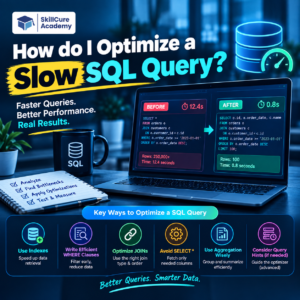

A slow SQL query can affect the performance of an entire application, dashboard, or data analysis workflow. When a query takes too long to return results, it can make reports slow, increase database load, and create a poor user experience.
The good news is that you can often improve SQL query performance without changing the final result. The key is to identify why the query is slow and then optimize the part of the query causing the problem.
What Makes a SQL Query Slow?
A SQL query can become slow for several reasons. Common causes include:
- Missing indexes
- Selecting unnecessary columns
- Processing too many rows
- Using inefficient JOINs
- Applying functions to indexed columns
- Using unnecessary subqueries
- Poor filtering conditions
- Sorting large datasets
- Duplicate or unnecessary calculations
For example, instead of:
SELECT *
FROM employees;
you may only need:
SELECT employee_id, employee_name, department
FROM employees;
The second query asks the database to return only the required columns.
1. Use EXPLAIN to Understand the Query
Before changing your query, find out how the database is executing it.
Many SQL databases provide an execution-plan command such as EXPLAIN.
EXPLAIN
SELECT *
FROM employees
WHERE department = 'Sales';
The execution plan can help you understand:
| What to Check | What It Tells You |
|---|---|
| Table Scan | Whether many or all rows are being examined |
| Index Usage | Whether an index is being used |
| Join Method | How tables are being joined |
| Estimated Rows | How much data the database expects to process |
| Sort Operation | Whether sorting is adding significant work |
Tip: Don’t optimize based only on how the SQL looks. Check the execution plan and actual performance.
2. Avoid SELECT * When You Don’t Need It
SELECT * retrieves every column from a table.
For a table containing many columns, this can increase the amount of data that the database has to read and send back.
Instead of:
SELECT *
FROM customers
WHERE city = 'Delhi';
Use:
SELECT customer_id, customer_name, email
FROM customers
WHERE city = 'Delhi';
This makes the query more focused and can reduce unnecessary data transfer.
3. Use Indexes Carefully
Indexes are one of the most important tools for improving SQL query performance.
Suppose you frequently search customers by email:
SELECT customer_id, customer_name
FROM customers
WHERE email = 'user@example.com';
An index on the email column may help the database locate the required row more efficiently.
CREATE INDEX idx_customers_email
ON customers(email);
However, indexes are not automatically beneficial everywhere.
Too many indexes can increase storage requirements and can make INSERT, UPDATE, and DELETE operations more expensive because the indexes also need to be maintained.
When Should You Consider an Index?
Consider indexing columns that are frequently used for:
WHEREconditionsJOINconditionsORDER BY- Certain
GROUP BYoperations - Searching for specific values
The right indexes depend on the database engine, query workload, table size, and data distribution.
4. Filter Data Early
If you are working with millions of rows, filtering unnecessary data can make a significant difference.
For example:
SELECT customer_id, SUM(amount)
FROM sales
GROUP BY customer_id;
If you only need sales from 2026, filtering the data can reduce the amount of work:
SELECT customer_id, SUM(amount)
FROM sales
WHERE sale_date >= '2026-01-01'
  AND sale_date < '2027-01-01'
GROUP BY customer_id;
The database now has fewer rows to process.
5. Optimize JOINs
JOINs are commonly used in real-world SQL, especially when working with related tables.
For example:
SELECT c.customer_name, o.order_id
FROM customers c
JOIN orders o
  ON c.customer_id = o.customer_id;
Make sure the columns used to join tables are appropriate and, where useful, indexed.
Common JOIN Optimization Checks
- Are you joining the correct columns?
- Are you joining unnecessarily large datasets?
- Are the join columns indexed where appropriate?
- Are you filtering rows before the join when possible?
- Are you selecting only the columns you actually need?
A poorly designed JOIN can cause a query to process a very large intermediate result.
6. Avoid Functions on Filtered Columns When Possible
Consider this query:
SELECT *
FROM employees
WHERE YEAR(join_date) = 2026;
Depending on the database engine and available indexes, applying a function to the column can make it harder for the optimizer to use a normal index efficiently.
A range condition may be more index-friendly:
SELECT *
FROM employees
WHERE join_date >= '2026-01-01'
  AND join_date < '2027-01-01';
The exact optimization depends on the database system, but the general principle is useful: write predicates in a way that allows the database to use available indexes effectively.
7. Reduce Unnecessary Sorting
Sorting can become expensive when the database has to process a large number of rows.
For example:
SELECT *
FROM sales
ORDER BY amount DESC;
If you only need the top 10 results, use the appropriate limiting syntax for your database.
For example, in systems that support LIMIT:
SELECT *
FROM sales
ORDER BY amount DESC
LIMIT 10;
This communicates that you only need a small portion of the final result.
8. Avoid Unnecessary Subqueries
Subqueries are not always bad, but sometimes the same logic can be written more efficiently using a JOIN, CTE, or another approach.
For example, instead of automatically creating deeply nested queries, first check whether the query can be simplified without changing its meaning.
The goal is not to avoid subqueries completely. The goal is to understand how the database executes them and choose the clearest efficient approach.
9. Return Only the Data You Need
Imagine a dashboard only needs monthly revenue.
There is little reason to retrieve millions of individual transaction rows and perform unnecessary processing afterward.
Instead, aggregate the data in SQL:
SELECT
    MONTH(sale_date) AS sale_month,
    SUM(amount) AS total_sales
FROM sales
GROUP BY MONTH(sale_date);
For production queries, you may also need to group by year to avoid combining the same month across different years.
The principle is simple:
Let the database return the result you actually need instead of transferring unnecessary data.
10. Check the Data Volume
A query that runs quickly on 10,000 rows may become slow when the table grows to 10 million rows.
Therefore, optimization should consider both:
Current data volume + expected future growth
| Situation | Possible Action |
|---|---|
| Small table | Keep the query simple |
| Large table | Analyze execution plan |
| Frequent filtering | Consider appropriate indexes |
| Large JOINs | Review join conditions and indexes |
| Large aggregations | Filter data before aggregation |
| Large result set | Return only required rows/columns |
A Practical SQL Optimization Process
When you encounter a slow query, don’t immediately rewrite everything.
Follow a structured process:
Step 1: Identify the slow query.
Step 2: Measure its current execution time.
Step 3: Run EXPLAIN or the database’s equivalent execution-plan tool.
Step 4: Identify expensive scans, joins, sorts, or aggregations.
Step 5: Check indexes and filtering conditions.
Step 6: Reduce unnecessary columns and rows.
Step 7: Rewrite the query where appropriate.
Step 8: Test the optimized query.
Step 9: Compare execution time and execution plans.
Step 10: Make sure the optimized query still returns the correct result.
Before and After Example
Suppose we want to find high-value orders from 2026.
A less focused query might look like:
SELECT *
FROM orders
ORDER BY amount DESC;
If the requirement is only to find recent orders above ₹50,000, the query can be more specific:
SELECT order_id, customer_id, amount
FROM orders
WHERE order_date >= '2026-01-01'
  AND order_date < '2027-01-01'
  AND amount > 50000
ORDER BY amount DESC;
The optimized version communicates the actual requirement to the database: filter the relevant records, return only required columns, and then sort the results.
Common SQL Optimization Mistakes
Avoid these common mistakes:
- Adding indexes to every column
- Assuming
SELECT *is always acceptable - Rewriting queries without checking the execution plan
- Optimizing without measuring performance
- Ignoring JOIN conditions
- Returning millions of unnecessary rows
- Applying functions unnecessarily to filtered columns
- Making a query complicated just to make it “faster”
- Forgetting to verify that the result remains correct
SQL Query Optimization Checklist
Before considering a slow query optimized, ask:
| Question | Check |
|---|---|
| Do I need every column? | Remove unnecessary columns |
| Do I need every row? | Add appropriate filters |
| Are indexes being used effectively? | Check execution plan |
| Are JOINs necessary and correct? | Review JOIN conditions |
| Is sorting necessary? | Remove unnecessary ORDER BY |
| Can filtering happen earlier? | Reduce rows before expensive operations |
| Is the query still correct? | Compare results |
| Did performance improve? | Measure before and after |
Conclusion
Optimizing a slow SQL query is not simply about making the SQL shorter. It is about reducing unnecessary work for the database.
Start by understanding the execution plan, then look at indexes, filtering, JOINs, sorting, selected columns, and the amount of data being processed.
The most important habit for a data analyst or SQL developer is to measure first, optimize based on evidence, and verify the result afterward.
With regular practice, SQL query optimization becomes an important skill for working with large datasets, dashboards, reports, and real-world databases.
Frequently Asked Questions
1. What is SQL query optimization?
SQL query optimization is the process of improving a query so that it can return the required result efficiently while using fewer database resources.
2. How can I check why a SQL query is slow?
Use your database’s execution-plan tools, such as EXPLAIN or an equivalent command. They can show how the database is scanning tables, using indexes, joining data, and performing other operations.
3. Does adding an index always make a query faster?
No. Indexes can improve certain read operations, but unnecessary indexes consume storage and can add overhead to data modification operations such as INSERT, UPDATE, and DELETE.
4. Is SELECT * bad in SQL?
SELECT * is not inherently wrong, but it can retrieve unnecessary columns. Selecting only the required columns can reduce data processing and transfer, particularly when tables contain many columns.
5. What is the first step when optimizing a slow SQL query?
First, measure the query’s performance and inspect its execution plan. This helps identify the actual bottleneck instead of optimizing based on assumptions.