
Filing GST returns online is an important responsibility for businesses registered under the Goods and Services Tax (GST) system in India. Whether you are a small business owner, freelancer, trader, service provider, or entrepreneur, understanding the GST return filing process can help you maintain accurate financial records and avoid unnecessary compliance issues.
The good news is that you can file GST returns online through the official GST portal without visiting a government office. However, you need to understand which GST return applies to your business, what documents are required, and how to complete the filing process correctly.
In this guide, we will explain how to file GST returns online step by step, the different types of GST returns, important due dates, common mistakes to avoid, and useful tips for beginners.
What Is a GST Return?
A GST return is a statement that registered taxpayers submit to the government to report their business transactions, sales, purchases, input tax credit, and tax liability, as applicable to their registration and return type.
GST returns help the government track tax payments and ensure that businesses comply with applicable GST rules.
For example, if you operate a business that sells products or provides services, you may need to report your sales, calculate the applicable GST, and pay the tax due through the relevant return.
GST return filing requirements depend on your taxpayer category, business activities, registration status, and applicable rules.
Types of GST Returns in India
Before learning how to file GST returns online, it is important to understand the commonly used GST return forms.
| GST Return Form | Purpose |
|---|---|
| GSTR-1 | Reports details of outward supplies, including sales |
| GSTR-3B | Summarises outward supplies, eligible input tax credit, and tax liability |
| GSTR-4 | Annual return for eligible composition taxpayers |
| CMP-08 | Quarterly statement for payment of tax by eligible composition taxpayers |
| GSTR-9 | Annual return for taxpayers required to file it |
| GSTR-10 | Final return for taxpayers whose GST registration has been cancelled or surrendered, where applicable |
Not every taxpayer needs to file every form listed above. Your applicable returns depend on your GST registration category and the rules governing your business.
For most regular taxpayers, GSTR-1 and GSTR-3B are two important forms to understand.
Documents Required for GST Return Filing
Before starting the GST return filing process, keep your business records organised. Having the necessary information ready can reduce errors and save time.
The commonly required documents and details include:
- Active GSTIN and GST portal login credentials.
- Sales invoices issued during the relevant tax period.
- Purchase invoices and expense records.
- Credit notes and debit notes, where applicable.
- Details of taxable, exempt, and nil-rated supplies, as applicable.
- Input tax credit details and supporting purchase records.
- Details of tax already paid and outstanding tax liability.
- Bank or payment information, where required for the applicable process.
- Access to the registered mobile number and email address for verification, where needed.
The exact information required depends on the GST return you are filing and the nature of your business transactions.
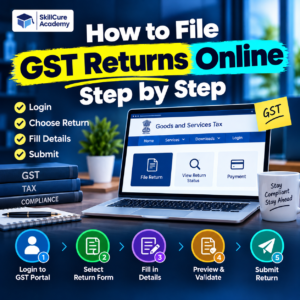
How to File GST Returns Online Step by Step
You can complete the GST return filing process online through the official GST portal.
Official GST Portal: https://www.gst.gov.in/
Follow these steps to understand the general process.
Step 1: Visit the Official GST Portal
Open the official GST website in your browser.
Click the Login option and enter your username and password.
After successfully logging in, you can access the GST services available for your registered business.
Make sure you are using the official government portal and not an unauthorised website.
Step 2: Open the Returns Dashboard
After logging in, navigate to:
Services → Returns → Returns Dashboard
The dashboard allows you to select the relevant financial year and tax period.
Choose the financial year, month, or quarter for which you need to file the return.
Click Search to view the applicable return forms and their filing status.
Step 3: Select the Applicable GST Return
The GST portal displays the return forms applicable to your registration and selected tax period.
For example, a regular taxpayer may need to file GSTR-1 and GSTR-3B.
Select the appropriate return and click the available option to prepare it.
Read the instructions displayed on the portal before entering information.
Step 4: Enter Your Sales Details in GSTR-1
GSTR-1 is used to report details of outward supplies.
Depending on your transactions, you may need to provide information such as:
- Sales to registered businesses.
- Sales to unregistered customers.
- Invoice numbers and dates.
- Taxable values and applicable tax amounts.
- Credit notes and debit notes.
- Export supplies, where applicable.
- Exempt, nil-rated, and non-GST supplies, where applicable.
- Other details required by the relevant form.
Enter the information carefully and verify that the invoice details match your business records.
Certain details may be automatically populated from e-invoice data or other available records. However, you should still review the information for accuracy.
Step 5: Generate and Review the GSTR-1 Summary
After entering the necessary details, use the Generate Summary option available on the portal.
Review the summary to confirm that your reported transactions are correct.
Check the following information before filing:
- Total sales value.
- Taxable and non-taxable supplies.
- Applicable GST amounts.
- Invoice details and GSTINs.
- Credit and debit notes.
- Any amendments or corrections.
Once you have reviewed the information, proceed to the filing section.
After verifying the declaration and authorised signatory details, file the statement using the available electronic verification method.
The portal generates an Application Reference Number (ARN) after successful filing.
Step 6: Prepare Form GSTR-3B
GSTR-3B is a summary return used by applicable taxpayers to report their tax liability and eligible input tax credit.
To prepare GSTR-3B, open the Returns Dashboard and select the relevant tax period.
Click the available option to prepare the return.
Review the details relating to:
- Outward taxable supplies.
- Applicable tax liability.
- Eligible input tax credit.
- Reverse-charge liability, where applicable.
- Tax already paid and any remaining liability.
- Other information required by the form.
Some information may be auto-populated from other GST records. You must check that the figures are accurate and make permitted corrections where necessary.
Do not claim input tax credit merely because an invoice is available. Confirm eligibility under the applicable GST provisions and maintain the required supporting records.
Step 7: Calculate and Pay Your GST Liability
After preparing GSTR-3B, review the tax liability and eligible credits.
If tax is payable, use the payment options available through the GST portal.
Depending on your circumstances, payment may involve the electronic cash ledger and eligible balances in the electronic credit ledger, subject to applicable rules.
Verify the amount payable before making a payment.
If you have already deposited money into the electronic cash ledger, check whether the available balance is sufficient to cover the applicable liability.
Keep the payment challan and other relevant records for future reference.
Step 8: Preview and Verify the Return
Before filing GSTR-3B, preview the draft return and carefully review the figures.
Check that the sales, tax liability, input tax credit, and payment details are consistent with your records.
Pay particular attention to the following:
- Whether sales have been reported correctly.
- Whether input tax credit has been claimed correctly.
- Whether the applicable tax rates have been used.
- Whether the tax liability matches your calculations.
- Whether the required payment has been completed.
Correct any identified errors before submitting the final return, using the options available on the portal.
Step 9: File the Return Using DSC or EVC
Once you have reviewed the return, select the declaration checkbox and choose the authorised signatory.
Complete the filing process using the applicable electronic verification method.
Common methods include:
- DSC: Digital Signature Certificate.
- EVC: Electronic Verification Code.
The available verification method depends on your taxpayer category and applicable requirements.
Follow the instructions displayed on the portal to complete the filing.
Remember that saving or submitting return details is not necessarily the same as filing the return. Check that the final status shows Filed.
Step 10: Download and Save the Filed Return
After successful filing, download the filed return and save the acknowledgement and related records.
Keep copies of relevant documents, including:
- Filed GSTR-1 and GSTR-3B, where applicable.
- ARN and filing acknowledgements.
- Tax payment challans.
- Sales and purchase invoices.
- Input tax credit working papers.
- Other supporting documents.
Organising these records can help you with future return filing, reconciliations, audits, and financial reporting.
GST Return Filing Due Dates
GST return due dates vary according to the return form, taxpayer category, filing frequency, and any applicable government extensions.
The following table provides commonly applicable standard due dates for certain returns. Always verify the due date shown on the GST portal and check for notifications that may change it.
| Return Form | Common Standard Due Date | Filing Frequency |
|---|---|---|
| GSTR-1 | 11th of the following month | Monthly |
| GSTR-1 | 13th of the month following the quarter | Quarterly |
| GSTR-3B | Generally 20th of the following month | Monthly, subject to applicable rules |
| GSTR-3B | Generally 22nd or 24th of the month following the quarter, depending on the applicable state or Union Territory category | Quarterly, under QRMP |
| GSTR-9 | Generally 31 December following the relevant financial year, where applicable | Annual |
These dates are general references, not a substitute for checking the specific filing obligation applicable to your business. Government notifications can extend deadlines, and different forms may have different rules.
Important: Filing the applicable returns on time is essential. Late filing can result in late fees, interest, or other consequences depending on the circumstances and applicable law.
Common Mistakes to Avoid While Filing GST Returns
Even a small error in a GST return can lead to reconciliation problems, incorrect tax payments, or compliance issues.
Here are some common mistakes you should avoid.
1. Entering Incorrect Invoice Details
Incorrect invoice numbers, dates, taxable values, or GSTINs can create reporting errors.
Always reconcile the details entered in the return with your sales records.
2. Claiming Ineligible Input Tax Credit
Input tax credit must be claimed in accordance with the applicable GST provisions.
Check the relevant conditions, supporting documents, and available invoice information before claiming credit.
3. Missing the Filing Due Date
Missing a filing deadline may result in late fees, interest, or other consequences.
Maintain a compliance calendar and review the due dates applicable to your business.
4. Forgetting to File Nil Returns
A period with no business activity does not automatically mean that every GST filing obligation disappears.
Where a return is required, a nil return may still need to be filed if the relevant conditions are satisfied.
5. Assuming That Saved Returns Are Filed Returns
Saving details or preparing a draft does not necessarily complete the filing process.
Always check the final status on the portal and download the acknowledgement after successful filing.
6. Not Reconciling Sales and Purchase Records
Differences between invoices, accounting records, GST returns, and input tax credit information can create difficulties.
Reconcile the relevant records before filing to identify discrepancies early.
Tips for Easy and Accurate GST Return Filing
You can make GST return filing more manageable by following a regular accounting routine.
- Maintain organised sales and purchase registers.
- Record invoices promptly rather than waiting until the deadline.
- Verify customer and supplier GSTINs where relevant.
- Reconcile eligible input tax credit with available records.
- Keep track of monthly and quarterly filing obligations.
- Review the latest instructions and notifications on the GST portal.
- Save filed returns, acknowledgements, and payment records.
- Seek help from a qualified GST professional when dealing with complex transactions or uncertain tax treatment.
Businesses that maintain accurate records throughout the year can generally prepare their GST returns more efficiently.
Why Learn GST Return Filing?
GST return filing is a useful practical skill for people interested in accounting, taxation, finance, and business administration.
Employers often look for accounting professionals who understand invoice management, GST compliance, reconciliation, tax calculations, and accounting software.
Learning GST return filing can help you understand how accounting records connect with real business compliance requirements.
It can also be useful for business owners who want to manage their financial records more effectively.
For beginners, combining GST knowledge with practical accounting software skills can provide a stronger foundation for accounting-related roles.
At Skillcure Academy, learners interested in accounting and finance can explore relevant practical training opportunities to strengthen their understanding of business processes and accounting concepts.
Frequently Asked Questions (FAQs)
1. How can I file GST returns online?
You can file GST returns online by logging in to the official GST portal, opening the Returns Dashboard, selecting the relevant tax period and return form, entering the required details, reviewing the information, paying any applicable tax, and completing the electronic filing process.
2. Can I file GST returns myself without an accountant?
Yes, eligible taxpayers can file their GST returns themselves through the official portal. However, you should understand the applicable return requirements and maintain accurate records. If your transactions are complex, professional assistance may be advisable.
3. What is the difference between GSTR-1 and GSTR-3B?
GSTR-1 reports details of outward supplies, while GSTR-3B summarises relevant supplies, eligible input tax credit, and tax liability. Both serve different purposes and must be completed according to the requirements applicable to the taxpayer.
4. What happens if I do not file my GST return on time?
Late filing may lead to late fees, interest on outstanding tax, notices, or other consequences under applicable GST provisions. The exact consequences depend on the return, delay, tax liability, and circumstances.
5. Can I file a nil GST return if there are no sales?
A nil return may be filed when the applicable conditions for that return are satisfied. For example, a nil GSTR-1 may be appropriate where there are no outward supplies to report. However, the requirements differ between forms, so check the applicable rules before filing.