
Graphic design has become an important skill for students, freelancers, digital marketers, content creators, and businesses. From creating social media posts to designing professional advertisements, the right graphic design tool can make your work easier and more effective.
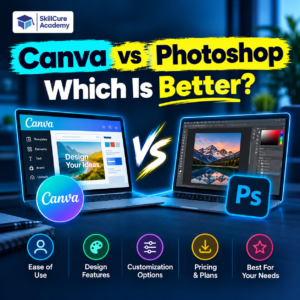
Two of the most popular graphic design tools are Canva and Adobe Photoshop. Both are widely used, but they serve different purposes. Canva is known for its simple interface and ready-made templates, while Photoshop offers advanced photo editing and detailed design capabilities.
If you are confused about Canva vs Photoshop and which is better, this guide will help you understand their differences, features, advantages, and career applications so you can choose the right tool for your needs.
What Is Canva?
Canva is an online graphic design platform that helps users create designs without requiring advanced technical knowledge. It offers ready-made templates, drag-and-drop editing, fonts, images, graphics, and other design elements.
It is especially popular among beginners, social media managers, digital marketers, small business owners, and content creators.
Key Features of Canva
- Ready-made templates for social media posts, presentations, posters, and advertisements.
- Easy drag-and-drop design tools.
- Pre-designed layouts for different platforms.
- Collaboration features for teams.
- AI-powered design features, depending on the plan and availability.
- Options for creating presentations, videos, documents, and marketing materials.
Advantages of Canva
- Easy to learn, even for beginners.
- Saves time with ready-made templates.
- Requires less graphic design experience.
- Makes it easy to maintain consistent branding.
- Supports quick content creation for social media and marketing campaigns.
However, Canva has limitations when it comes to certain advanced image manipulation tasks, highly detailed photo retouching, and complex layer-based editing.
What Is Adobe Photoshop?
Adobe Photoshop is a professional image editing and graphic design software used by photographers, graphic designers, digital artists, and creative professionals.
It provides advanced tools for editing photographs, removing unwanted objects, manipulating images, creating digital artwork, and producing detailed visual designs.
Photoshop is widely used in advertising, photography, branding, digital art, and professional creative projects.
Key Features of Photoshop
- Advanced photo editing and retouching tools.
- Layer-based editing for greater control.
- Masks and selections for precise image manipulation.
- Background removal and image compositing.
- Colour correction and image enhancement.
- Tools for digital painting and creative effects.
- AI-assisted editing features, depending on the version and subscription.
Advantages of Photoshop
- Offers detailed control over images and design elements.
- Supports complex photo manipulation.
- Provides advanced retouching and compositing capabilities.
- Is useful for professional graphic design projects.
- Helps designers create original artwork rather than relying only on templates.
Photoshop has a steeper learning curve than Canva. Beginners may need time to understand its layers, masks, selections, adjustment tools, and other features.
Canva vs Photoshop: Key Differences
Although both tools can be used for graphic design, their workflows and capabilities differ significantly.
| Feature | Canva | Adobe Photoshop |
|---|---|---|
| Best For | Quick designs and marketing content | Advanced image editing and creative design |
| Ease of Use | Beginner-friendly | Requires more practice |
| Learning Curve | Easy | Moderate to advanced |
| Ready-Made Templates | Extensive template library | Primarily a custom editing workflow |
| Photo Editing | Basic to intermediate design-oriented editing | Advanced photo editing and retouching |
| Image Manipulation | Suitable for simpler compositions | Suitable for complex compositions |
| Social Media Designs | Excellent for quick content | Excellent for highly customised designs |
| Professional Retouching | Limited compared with Photoshop | Extensive capabilities |
| Collaboration | Convenient collaborative workflow | Collaboration depends on Adobe tools and setup |
| Platform | Web, desktop, and mobile options | Desktop and other supported platform options |
| Pricing | Free and paid plans | Generally requires a paid subscription |
| Best Learning Goal | Quick content creation | Advanced image editing and design skills |
The best tool depends on your project, experience, budget, and career goals.
Canva vs Photoshop: Which Is Better for Beginners?
For beginners, Canva is generally the easier option.
You can start creating designs by selecting a template, adding text, choosing colours, and adjusting images. This makes it useful for students who want to create presentations, posters, YouTube thumbnails, and social media graphics without spending weeks learning software.
Photoshop is a better choice for beginners who want to develop deeper graphic design and image editing skills.
Although it requires more practice, learning Photoshop can help you understand layers, masks, image composition, colour correction, and professional editing techniques.
Choose Canva if:
- You want to create designs quickly.
- You are new to graphic design.
- You manage social media accounts.
- You need presentations, posters, or promotional creatives.
Choose Photoshop if:
- You want to learn professional photo editing.
- You are interested in advanced graphic design.
- You want to create detailed image compositions.
- You plan to explore photography, advertising, or digital art.
Canva vs Photoshop for Graphic Designers
Graphic designers often work on different types of projects, including advertisements, brand creatives, website graphics, product images, and promotional materials.
The choice between Canva and Photoshop depends on the complexity of the work.
Canva is particularly useful when designers need to create multiple designs quickly. For example, a marketing team may use Canva to prepare social media posts, presentation slides, and promotional banners using consistent brand colours and templates.
Photoshop is more suitable when a project requires precise image editing, creative photo manipulation, detailed retouching, or custom visual effects.
Professional designers can benefit from learning both tools because they solve different design problems.
Which Tool Is Better for Different Design Tasks?
| Design Task | Recommended Tool | Reason |
|---|---|---|
| Instagram posts | Canva | Quick creation using templates |
| YouTube thumbnails | Both | Canva is fast; Photoshop offers detailed customisation |
| Professional photo retouching | Photoshop | Advanced editing and retouching controls |
| Business presentations | Canva | Ready-made presentation layouts |
| Product photo editing | Photoshop | Greater control over image details |
| Marketing posters | Both | Depends on complexity and customisation |
| Digital artwork | Photoshop | More extensive creative editing tools |
| Quick promotional banners | Canva | Efficient template-based workflow |
| Complex photo manipulation | Photoshop | Advanced selections, masks, and layers |
| Brand design assets | Both | Depends on the asset and workflow |
Neither tool is automatically better for every project. Understanding the requirements is more important than choosing software based only on popularity.
Canva vs Photoshop for Digital Marketing
Digital marketing professionals frequently need visual content for social media, websites, email campaigns, advertisements, and promotional activities.
Canva is especially helpful for creating regular marketing content. Its templates and accessible editing tools make it easier to prepare multiple creatives for different platforms.
Photoshop is useful when a marketing campaign requires customised product images, advanced image manipulation, detailed visual effects, or polished advertising creatives.
For example, a digital marketer promoting a training institute may use Canva to create daily Instagram posts and course announcements. Photoshop may be used to edit student photographs, improve promotional images, or create more customised advertising visuals.
Which Tool Should Digital Marketers Learn?
Digital marketers should consider learning Canva first if their main responsibility is creating everyday social media content.
They can then learn Photoshop to develop stronger image editing skills and handle more demanding creative tasks.
Learning both tools can make it easier to work with designers, prepare marketing materials, and produce content for different campaign requirements.
However, graphic design software alone is not enough to become a successful digital marketer. Understanding audience targeting, content strategy, campaign performance, and advertising platforms is also important.
Canva vs Photoshop: Which Is Better for Career Opportunities?
Both tools can support career development, but career opportunities depend on your overall skills, portfolio, practical experience, and the requirements of employers.
Career Opportunities with Canva
Canva can be useful for people interested in roles such as:
- Social Media Executive
- Digital Marketing Executive
- Content Creator
- Marketing Assistant
- Freelance Social Media Designer
These roles may involve creating promotional graphics, social media content, presentations, and marketing materials.
Career Opportunities with Photoshop
Photoshop is useful for developing skills relevant to roles such as:
- Graphic Designer
- Photo Editor
- Image Retoucher
- Advertising Designer
- Digital Artist
- Creative Designer
These roles may require additional skills in typography, colour theory, composition, branding, and other design software.
Can Learning Both Tools Improve Your Skills?
Yes. Learning both Canva and Photoshop can help you work across different creative tasks.
For example, you could use Photoshop to edit and prepare a product image and then use Canva to create several social media posts using that image.
Similarly, a graphic designer may use Photoshop for detailed creative work while using Canva for quick presentations or marketing materials.
Remember that employers generally evaluate your ability to produce effective designs, solve visual problems, and meet project requirements rather than relying only on the software you know.
Canva vs Photoshop: Pricing and Accessibility
Pricing is another important factor when selecting a design tool.
Canva provides free and paid plans. The availability of templates, premium assets, storage, and certain advanced features depends on the plan.
Adobe Photoshop is generally available through a paid subscription, although the exact pricing and available plans can vary by country and subscription type.
| Factor | Canva | Photoshop |
|---|---|---|
| Free Access | Free plan available | Generally subscription-based |
| Paid Features | Available through paid plans | Available through eligible Adobe plans |
| Installation | Browser-based use is available | Desktop installation is commonly used |
| Beginner Accessibility | Very accessible | Requires more learning |
| Best Value | Frequent template-based design work | Advanced image editing and creative work |
Before subscribing, check the latest plans and features on the official websites of Canva and Adobe Photoshop.
If you only need to create occasional posters or presentations, Canva’s free plan may be sufficient. If you regularly perform advanced photo editing or complex image manipulation, Photoshop may be worth considering.
How to Choose Between Canva and Photoshop
Before choosing a tool, consider what you want to create and how much time you can invest in learning.
Follow these steps to make a practical decision:
- Identify your goal: Decide whether you need social media graphics, presentations, professional photo editing, or custom artwork.
- Consider your experience: Beginners may find Canva easier to start with, while Photoshop requires more practice.
- Evaluate your budget: Compare the free features and paid plans available for both tools.
- Try practical projects: Create a social media post in Canva and edit a photograph in Photoshop to understand their differences.
- Think about your career: Choose the tools that match your desired role and build a portfolio demonstrating your skills.
You do not have to select only one tool permanently. Your choice can change as your skills and project requirements develop.
Conclusion: Canva vs Photoshop — Which Is Better?
The answer to Canva vs Photoshop: Which Is Better? depends on your needs.
Canva is an excellent choice for beginners, social media managers, digital marketers, and anyone who wants to create attractive designs quickly. Its templates and easy-to-use interface make everyday design work more accessible.
Photoshop is better suited to advanced photo editing, professional retouching, detailed image manipulation, and custom creative projects. It requires more practice but provides greater control over complex image editing tasks.
If you are starting your graphic design journey, Canva is a convenient starting point. If you want to develop professional image editing skills, Photoshop is an important tool to explore. Learning both can help you become more versatile.
At Skillcure Academy, students interested in creative and digital careers can focus on building practical skills, understanding design principles, and creating a portfolio that demonstrates their abilities. The right combination of software knowledge and hands-on practice can help you prepare for different creative and marketing opportunities.
Frequently Asked Questions (FAQs)
1. Is Canva better than Photoshop?
Canva is better for quick designs, social media posts, and presentations. Photoshop is better for advanced photo editing, detailed retouching, and complex image manipulation. The better option depends on your requirements.
2. Which is easier to learn, Canva or Photoshop?
Canva is generally easier to learn because it provides templates and a simple drag-and-drop interface. Photoshop requires more practice to understand layers, masks, selections, and advanced editing tools.
3. Can I get a job by learning Canva?
Yes, Canva skills can be useful in roles involving social media content, digital marketing, and basic design work. However, employment opportunities depend on your overall skills, portfolio, practical experience, and the job requirements.
4. Do professional graphic designers use Canva or Photoshop?
Professional designers use both tools, depending on the project. Canva is useful for quick marketing creatives and presentations, while Photoshop is commonly used for advanced photo editing, retouching, and image manipulation.
5. Should I learn Canva or Photoshop first?
If you are a complete beginner and want to create social media graphics quickly, start with Canva. If your primary goal is professional photo editing or advanced graphic design, start learning Photoshop. You can eventually learn both to expand your creative capabilities.