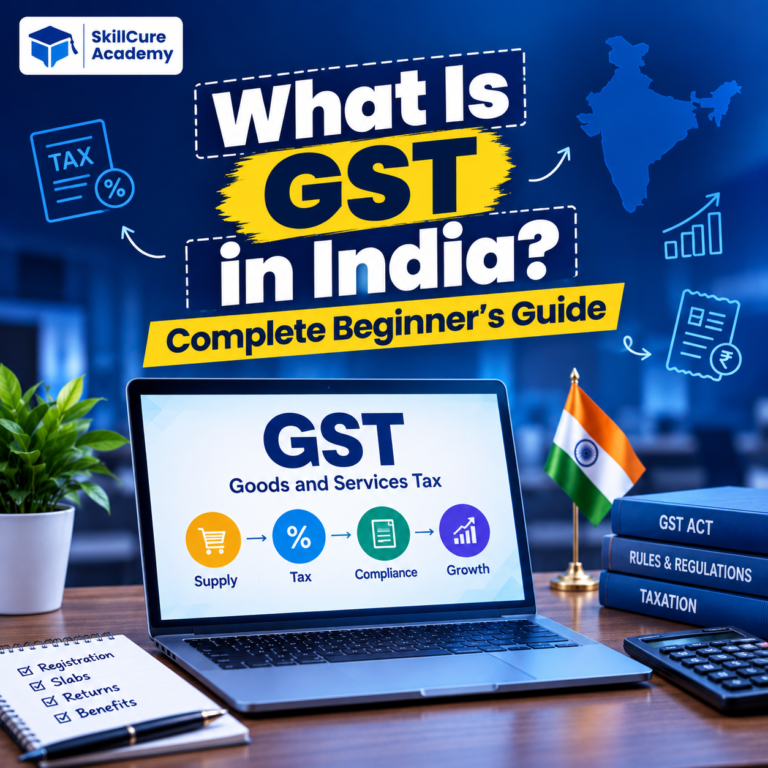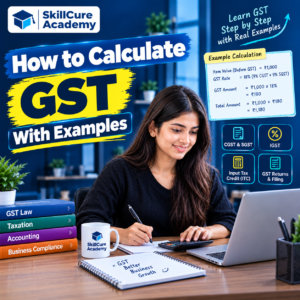

Goods and Services Tax (GST) is one of the most important taxes in India. Whether you are a business owner, accountant, student, or working professional, understanding how to calculate GST is an essential skill. GST is applied to the supply of most goods and services, and the applicable rate depends on the product or service and the relevant GST classification.
If you want to learn how to calculate GST, understand GST-inclusive and GST-exclusive prices, or calculate CGST, SGST, and IGST, this guide will help you with simple formulas and practical examples.
What Is GST?
GST stands for Goods and Services Tax. It is an indirect tax introduced in India on 1 July 2017. It brought many earlier indirect taxes under a common tax framework.
GST is generally charged on the supply of goods and services. Businesses collect GST from customers and pay the applicable tax to the government after adjusting eligible input tax credit.
For example, if a product costs ₹1,000 and the applicable GST rate is 18%, the GST amount will be ₹180. The customer will pay ₹1,180 in total.
GST is important for business owners, accountants, finance professionals, and students learning accounting software such as Tally Prime.
Types of GST in India
There are four main types of GST in India.
| Type of GST | Full Form | When It Applies |
|---|---|---|
| CGST | Central Goods and Services Tax | Generally applies to intra-state supplies along with SGST or UTGST |
| SGST | State Goods and Services Tax | Generally applies to intra-state supplies along with CGST |
| IGST | Integrated Goods and Services Tax | Generally applies to inter-state supplies |
| UTGST | Union Territory Goods and Services Tax | Applies to eligible intra-territory supplies in Union Territories, along with CGST |
1. CGST and SGST
When a taxable supply takes place within the same state, CGST and SGST generally apply together.
For example, if a business in Delhi sells a product to a customer in Delhi at an applicable GST rate of 18%, the tax is generally divided equally:
- CGST: 9%
- SGST: 9%
If the taxable value is ₹10,000, the total GST will be ₹1,800.
2. IGST
IGST generally applies when a taxable supply takes place between different states.
For example, if a business in Delhi sells goods to a customer in Haryana and the applicable GST rate is 18%, the entire 18% is charged as IGST.
For a taxable value of ₹10,000, IGST will be ₹1,800.
The applicable tax treatment depends on the place of supply and the nature of the transaction.
How to Calculate GST: Basic Formula
There are two common situations when calculating GST:
- Calculating GST on a price before tax.
- Calculating the original price and GST separately from a price that already includes GST.
Formula 1: Calculate GST on a Price Before Tax
Use the following formula:
GST Amount = Taxable Value × GST Rate ÷ 100
Final Price = Taxable Value + GST Amount
For example, suppose a product costs ₹5,000 before GST and the applicable GST rate is 18%.
GST Amount = ₹5,000 × 18 ÷ 100
GST Amount = ₹900
Final Price = ₹5,000 + ₹900
Final Price = ₹5,900
Therefore, the customer pays ₹5,900, including GST.
Formula 2: Calculate GST From a GST-Inclusive Price
Sometimes, the price displayed on an invoice or receipt already includes GST. In this situation, you need to extract the GST amount from the total price.
Use this formula:
GST Amount = Inclusive Price × GST Rate ÷ (100 + GST Rate)
To calculate the original price:
Taxable Value = Inclusive Price − GST Amount
For example, suppose the total price of a product is ₹11,800, including 18% GST.
GST Amount = ₹11,800 × 18 ÷ 118
GST Amount = ₹1,800
Taxable Value = ₹11,800 − ₹1,800
Taxable Value = ₹10,000
Therefore, the original price is ₹10,000 and the GST amount is ₹1,800.
GST Calculation Examples
Let’s understand how GST works through some practical examples.
Example 1: Calculate 5% GST
Suppose you purchase a product worth ₹2,000 before GST. The applicable GST rate is 5%.
GST Amount = ₹2,000 × 5 ÷ 100
GST Amount = ₹100
Final Price = ₹2,000 + ₹100
Final Price = ₹2,100
| Particulars | Amount |
|---|---|
| Original Price | ₹2,000 |
| GST Rate | 5% |
| GST Amount | ₹100 |
| Final Price | ₹2,100 |
Example 2: Calculate 12% GST
Suppose a business sells a taxable product for ₹5,000 before GST. The applicable GST rate is 12%.
GST Amount = ₹5,000 × 12 ÷ 100
GST Amount = ₹600
Final Price = ₹5,000 + ₹600
Final Price = ₹5,600
| Particulars | Amount |
|---|---|
| Original Price | ₹5,000 |
| GST Rate | 12% |
| GST Amount | ₹600 |
| Final Price | ₹5,600 |
Example 3: Calculate 18% GST
Suppose you purchase a laptop accessory for ₹15,000 before GST. For this example, assume the applicable GST rate is 18%.
GST Amount = ₹15,000 × 18 ÷ 100
GST Amount = ₹2,700
Final Price = ₹15,000 + ₹2,700
Final Price = ₹17,700
| Particulars | Amount |
|---|---|
| Original Price | ₹15,000 |
| GST Rate | 18% |
| GST Amount | ₹2,700 |
| Final Price | ₹17,700 |
Remember that the actual GST rate depends on the classification of the specific product or service.
Example 4: Calculate 28% GST
Suppose a product has a taxable value of ₹20,000 and the applicable GST rate is 28%.
GST Amount = ₹20,000 × 28 ÷ 100
GST Amount = ₹5,600
Final Price = ₹20,000 + ₹5,600
Final Price = ₹25,600
The 28% rate is applicable only to goods or services classified under that rate. Always verify the correct GST rate before preparing an invoice.
How to Calculate CGST and SGST
When a taxable supply is made within the same state and CGST and SGST apply, the total GST rate is generally divided equally between the two taxes.
For example, suppose the taxable value is ₹10,000 and the applicable GST rate is 18%.
Total GST = ₹10,000 × 18 ÷ 100
Total GST = ₹1,800
CGST = ₹10,000 × 9 ÷ 100
CGST = ₹900
SGST = ₹10,000 × 9 ÷ 100
SGST = ₹900
Final Price = ₹10,000 + ₹900 + ₹900
Final Price = ₹11,800
| Particulars | Amount |
|---|---|
| Taxable Value | ₹10,000 |
| CGST at 9% | ₹900 |
| SGST at 9% | ₹900 |
| Total GST | ₹1,800 |
| Final Price | ₹11,800 |
How to Calculate IGST
IGST generally applies to taxable inter-state supplies.
Suppose a business in Delhi sells goods to a registered business in Haryana. For this example, assume the taxable value is ₹25,000 and the applicable IGST rate is 18%.
IGST = ₹25,000 × 18 ÷ 100
IGST = ₹4,500
Final Price = ₹25,000 + ₹4,500
Final Price = ₹29,500
| Particulars | Amount |
|---|---|
| Taxable Value | ₹25,000 |
| IGST at 18% | ₹4,500 |
| Final Price | ₹29,500 |
Unlike an intra-state transaction, the invoice in this example shows IGST rather than separate CGST and SGST amounts.
GST Calculation Table
The following table shows how GST changes according to the applicable rate when the taxable value is ₹10,000.
| GST Rate | Taxable Value | GST Amount | Final Price |
|---|---|---|---|
| 5% | ₹10,000 | ₹500 | ₹10,500 |
| 12% | ₹10,000 | ₹1,200 | ₹11,200 |
| 18% | ₹10,000 | ₹1,800 | ₹11,800 |
| 28% | ₹10,000 | ₹2,800 | ₹12,800 |
These figures are mathematical examples. The applicable rate must be confirmed for the particular goods or services.
How to Calculate GST in Excel
Excel makes GST calculations faster and reduces repetitive manual work. It is useful for accountants, business owners, finance professionals, and students.
Suppose you create the following spreadsheet:
| Cell | Description | Value |
|---|---|---|
| A2 | Product Price | ₹5,000 |
| B2 | GST Rate | 18% |
| C2 | GST Amount | Formula |
| D2 | Final Price | Formula |
Enter the following formulas in Excel.
To calculate the GST amount:
In cell C2, enter:
=A2*B2
If B2 contains 18%, Excel will calculate GST as ₹900.
To calculate the final price:
In cell D2, enter:
=A2+C2
The result will be ₹5,900.
To calculate GST when the price already includes tax:
If A2 contains ₹5,900 and B2 contains 18%, use:
=A2*B2/(1+B2)
This returns ₹900 as the GST component.
These formulas assume that the GST rate cell contains a percentage such as 18%, rather than the number 18. If you enter 18 instead, adjust the formulas accordingly.
Learning Excel alongside accounting concepts can help you prepare invoices, maintain financial records, and automate routine calculations.
How to Calculate GST in Tally Prime
Tally Prime is widely used by businesses and accounting professionals to manage accounts, inventory, taxation, and GST transactions.
Here is a basic overview of the process.
- Create or configure the company: Enter the relevant business details and enable GST features.
- Enter GST registration details: Configure the applicable GST registration and other required information.
- Create the necessary ledgers: Set up sales, purchase, tax, and other relevant ledgers.
- Configure stock items or service details: Enter the correct GST classification and applicable tax rate.
- Record the transaction: Select the appropriate sales or purchase voucher and enter the transaction details.
- Check the tax calculation: Verify the taxable value, CGST, SGST, or IGST as applicable.
- Review the invoice: Confirm the tax rate, place of supply, and invoice details before finalising the transaction.
The exact steps may differ depending on your Tally Prime version, company configuration, and transaction type. Correct GST classification and configuration are essential for accurate tax calculations.
Common Mistakes to Avoid While Calculating GST
Even a small calculation error can lead to incorrect invoices or tax records. Keep the following points in mind.
- Using the wrong GST rate: Different goods and services may have different rates or exemptions.
- Adding GST twice: Check whether the quoted price already includes GST.
- Dividing IGST incorrectly: Do not split IGST into CGST and SGST on an inter-state invoice.
- Ignoring the place of supply: Determine the correct tax treatment based on the applicable GST rules.
- Entering incorrect taxable values: Verify discounts, charges, and other adjustments before calculating tax.
- Rounding incorrectly: Follow the applicable invoice and accounting requirements when rounding tax amounts.
- Ignoring input tax credit rules: Businesses should verify eligibility and documentation before claiming input tax credit.
For actual business transactions, verify the applicable provisions and rates using official GST resources.
Why Is GST Calculation Important for Accounting Professionals?
GST calculation is an important practical skill for people working in accounting, taxation, finance, and business administration.
Professionals may need to calculate GST while preparing sales invoices, recording purchases, reconciling tax records, checking input tax credit, and preparing GST returns.
Knowledge of GST also becomes more useful when combined with accounting software such as Tally Prime and spreadsheet tools such as Microsoft Excel.
Students who want to build a career in accounting should focus on practical exercises, invoice preparation, ledger management, and GST transaction entries instead of learning formulas alone.
At Skillcure Academy, learners can explore practical, job-oriented courses to strengthen their accounting and professional skills. Developing practical knowledge of accounting software and Excel can help learners prepare for relevant workplace responsibilities.
Frequently Asked Questions (FAQs)
1. How do I calculate GST on a price?
Multiply the taxable value by the applicable GST rate and divide by 100.
For example, if the price is ₹1,000 and GST is 18%, the GST amount is ₹180. The final price is ₹1,180.
2. How do I calculate GST from an inclusive price?
Use this formula:
GST Amount = Inclusive Price × GST Rate ÷ (100 + GST Rate)
For example, if the total price is ₹11,800, including 18% GST, the GST amount is ₹1,800 and the taxable value is ₹10,000.
3. What is the difference between CGST, SGST, and IGST?
CGST and SGST generally apply together to intra-state supplies. IGST generally applies to inter-state supplies. The correct treatment depends on the nature of the transaction and the applicable place-of-supply rules.
4. Can I calculate GST in Excel?
Yes. If the taxable value is in cell A2 and the GST rate is entered as 18% in cell B2, use =A2*B2 to calculate GST and =A2+(A2*B2) to calculate the final price.
5. Where can I check the correct GST rate in India?
You can check GST notifications, rate schedules, and other official information through the Government of India’s GST portal and the Central Board of Indirect Taxes and Customs (CBIC). Always verify the current rate and classification for the particular goods or services.